
Acti Lifetime Deal
Turn everyday writing and app tasks into repeatable workflows without switching between tools
Disclosure: We may earn an affiliate commission from purchases, at no extra cost to you. Deal terms can change, so the current listing is authoritative.
Can this replace a recurring software bill?
Text expansion, AI dictation, and workflow automation can each carry a recurring bill. Whether Acti reduces your annual software spend depends on which paid tasks it can take over. The listing names TextExpander, Zapier, and WisprFlow as alternatives.
Acti starts at $59 for lifetime access, against a displayed comparison price of $299. That comparison price is not an annual subscription rate. The practical question is whether its keyboard, dictation, and reusable workflows cover enough of your existing routine to cancel a subscription. For someone writing and handling app tasks throughout the day, there is a useful combination here.
What it is
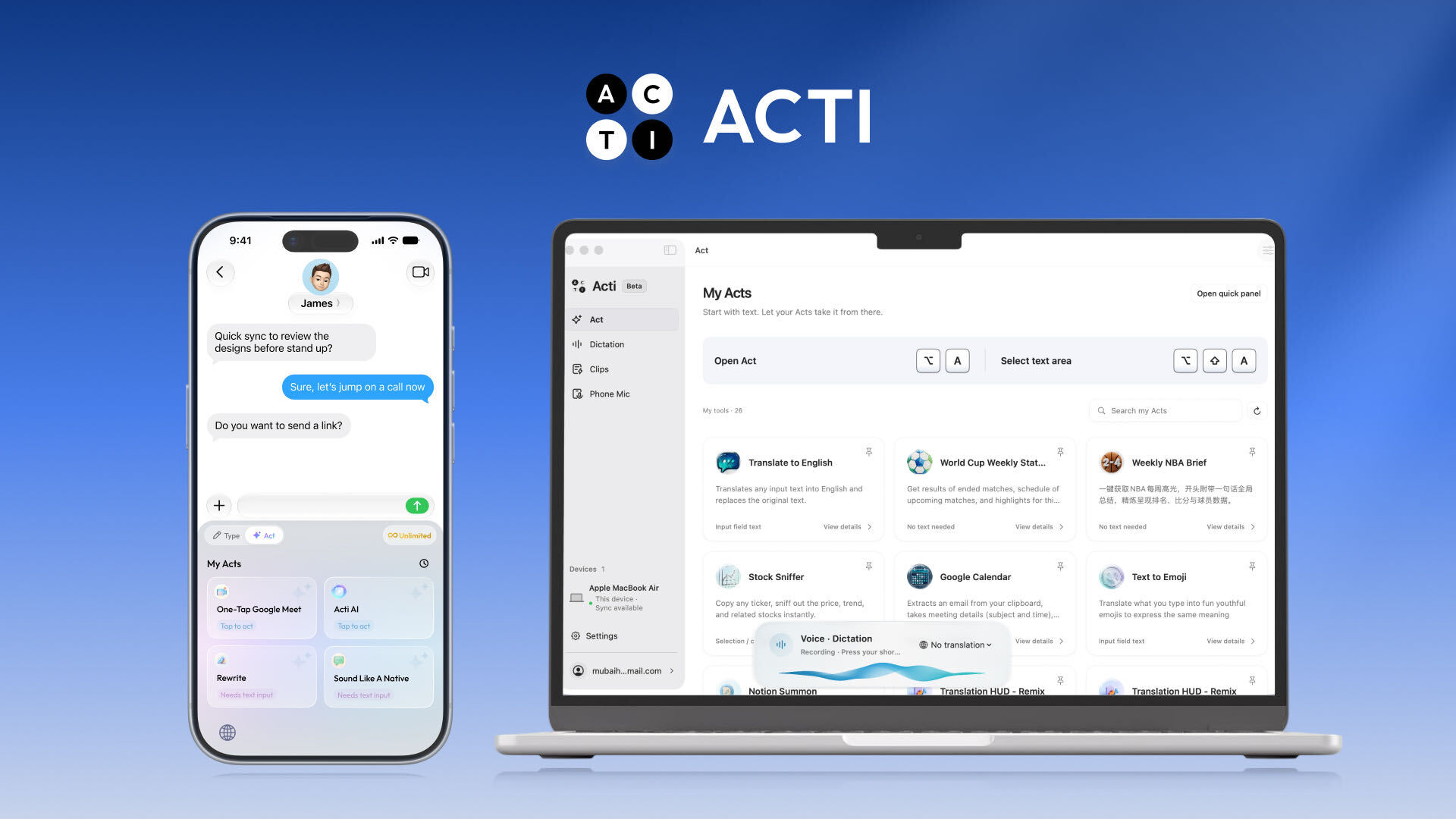
Acti is a mobile keyboard with AI writing, dictation, translation, and app actions built into the typing workflow. You can describe a task in ordinary language and use its Act Builder Agent to create a reusable workflow called an Act.
Those Acts can connect to apps and APIs, including Gmail, Slack, Notion, and Calendly. You can refine them through conversation, adapt community-made Acts, or build simpler tools for rewriting and translation.
There is also a Mac desktop app for running Acts and working with selected text. Clips stores reusable text and links, while shortcuts expand frequently typed content. Together, these features cover several jobs that might otherwise require separate tools.
Key facts
One-time prices: $59, $109, $199, or $399 for lifetime access.
Displayed comparison prices: $299, $599, $999, and $1,999 respectively.
Listed alternatives: TextExpander, Zapier, and WisprFlow.
Refund window: 60 days.
Tier structure: Four directly selectable tiers with different monthly AI credit allowances.
Devices: Unlimited devices are listed.
App connections: More than 300 apps and APIs.
Company background: The listing identifies a Singapore startup founded on June 6, 2024, at the seed stage.
The refund window gives you time to assess fit. Our guide to the AppSumo refund policy explains the purchase safeguard in more detail.
What the payback looks like
The $59 entry price is attractive if Acti can replace a paid tool you already use. The listing does not provide a monthly subscription comparison that supports a specific payback period.
Treat the displayed retail prices as purchase-price comparisons. Judge the return against a bill you can actually cancel. If Acti becomes an additional tool while every existing subscription stays, there is no subscription saving. The lifetime deal versus subscription comparison helps frame that decision.
What you actually get
Build reusable workflows from a written request
Act Builder Agent turns plain-language instructions into Acts without code. These can include multiple steps connected to apps and APIs, and you can refine them through conversation. This matters if you currently pay for automation to handle repeatable tasks and those same tasks work through Acti.
Dictate and revise text where you are writing
AI dictation cleans up clarity, grammar, and style. Voice commands can rewrite text, transform content, or trigger actions. For someone paying for dictation software, this is a central feature to compare against their current tool rather than an incidental extra.
Communicate across languages
The keyboard supports typing in more than 90 languages and dictation in more than 60. Voice Translate supports more than 100 languages, letting you speak in one language and produce text in another. This can reduce repeated copying between a messaging app and a translation tool.
Bring the same tasks to your Mac
The desktop app runs Acts and supports dictation, rewriting, and translation. You can highlight text for an explanation or revision, ask a question without leaving your work, and dictate from your phone directly to your Mac. That extends the purchase beyond mobile messaging.
Reuse text and links across devices
Text shortcuts expand email addresses, introductions, and other frequently used content. Clips saves copied text and links, with syncing across mobile and desktop. These are the features to examine if text expansion is the subscription you hope to replace.
Tiers and limits
Tier 1: $59, displayed comparison price $299, and 1,000 monthly AI credits.
Tier 2: $109, displayed comparison price $599, and 3,000 monthly AI credits.
Tier 3: $199, displayed comparison price $999, and 10,000 monthly AI credits.
Tier 4: $399, displayed comparison price $1,999, and 30,000 monthly AI credits.
Every tier is presented as lifetime access. The feature comparison lists unlimited devices, access to more than 5,000 Acts, Act Builder Agent, app connections, dictation, voice commands, translation, desktop features, and Clips.
Monthly AI credits are the listed scaling limit. They rise faster than the purchase price across the tiers. Choose a tier directly; a buy-entry-and-stack-later strategy is not the purchasing structure shown here. Our guide to AppSumo codes and stacking explains why that distinction matters.
Things to weigh
Windows availability is still a development item. In the supplied founder response, Windows is described as being in internal testing. A Windows-first buyer should not base the purchase on a future release.
Keyboard preferences can affect daily use. An Android reviewer reported differences from Samsung’s keyboard in symbol placement and layout. The same reviewer found a high-contrast theme in settings that improved key visibility.
AI-selected GIF previews need attention. A reviewer reported being unable to preview a selected GIF before sending it. The founder acknowledged the suggestion for previews and alternatives as something to explore.
Before you buy
Use these checks alongside the broader factors to verify before buying a lifetime deal:
- Confirm that your required Gmail, Slack, Notion, Calendly, or custom API workflow can perform the specific actions you need.
- Try your regular dictation and translation languages, including names and terminology common in your work.
- Check the mobile keyboard layout and Mac workflow against your daily habits. Verify Windows availability if it is essential.
- Measure credit consumption across representative tasks before choosing between 1,000 and 30,000 monthly credits.
Who it suits, and who should look elsewhere
Good candidates
- Content creators who regularly dictate, rewrite, and translate text.
- Marketers handling recurring communication and app tasks.
- Solopreneurs who want reusable workflows and text shortcuts across mobile and Mac.
Better served elsewhere
- Windows-first users who need a working desktop application today may be better served by an existing subscription.
- People whose current automation depends on workflows they cannot reproduce in Acti should keep the tool that already handles them.
- Users who rely on previewing GIFs before sending should weigh the reported limitation carefully.
Verdict
Acti is worth considering for mobile-and-Mac users who can replace an existing writing, dictation, or text-expansion expense. The $59 tier offers the lowest upfront commitment, though its 1,000 monthly credits need to match your actual use. Higher tiers make sense only when your workload supports the larger allowance.
The listing presents a young, seed-stage company. The three-year decision should rest on usefulness today rather than promised platform expansion. Our guide to the pros and cons of lifetime deals covers that longer-term trade-off.
Put two checkpoints on your calendar: set up and start evaluating Acti on purchase day, then make your keep-or-refund decision by day fifty, before the 60-day window closes.
Not sure yet? Run this deal through our free scorecard. Seven checks, a payback calculator, and a plain verdict on whether to buy. Get the Lifetime Deal Scorecard, free
SAASTOOLY Rating: 4.5/5
FAQ
How much does Acti lifetime access cost?
There are four tiers priced at $59, $109, $199, and $399. Their monthly AI credit allowances are 1,000, 3,000, 10,000, and 30,000 respectively.
Which apps can Acti connect to?
The listing advertises connections with more than 300 apps and APIs. Named integrations include Calendly, Gmail, Notion, Slack, and custom APIs.
Can I create workflows without coding?
Yes. Act Builder Agent creates reusable Acts from plain-language requests, and you can refine them through conversation.
Does Acti work on desktop?
The listing describes a Mac desktop app with Acts, dictation, and selected-text assistance. The supplied founder response says Windows is in internal testing.
How many languages does it support?
Acti supports typing in more than 90 languages, dictation in more than 60, and Voice Translate across more than 100 languages.
Is the purchase refundable?
The deal includes a 60-day refund window. The listing also says Plus members receive coverage under AppSumo’s We Got Your Back guarantee.
Similar products in category

Albato Lifetime Deal
Albato Lifetime Deal is a platform that enables you to integrate cloud services and construct personalized automations to streamline your workflow without the need for coding. Alternative to Make, Zapier.

TaskMagic Lifetime Deal
TaskMagic Lifetime Deal is an AI-powered tool that lets you record task processes and create powerful, code-free automations to streamline your workflow. Alternative to Make, Zapier.

ZeroWork Lifetime Deal
ZeroWork Lifetime Deal is a no-code solution that lets you build TaskBots and sell them in their marketplace.