
Agently Lifetime Deal
Turn scattered tool data into one connected brain that drafts and ships work for your team
Disclosure: SAASTOOLY earns an affiliate commission if you buy through our links, at no extra cost to you. Deal terms change, so the current listing is the final word on price, tiers and limits.
Replace the workspace, automation and AI assistant bills
Most small teams pay every month for a notes workspace, an automation tool and an AI assistant. Those bills renew every year and never end. Agently is listed as an alternative to Notion, Zapier and ChatGPT. The retail price for Tier 1 is $199, and the deal price is $69 once, for lifetime access. If you already pay for two or three of those tools, one payment here deserves a close look.
What it is
Agently connects the apps your company already uses and builds a knowledge graph from them. You can also upload PDFs, docs, images and web URLs so it learns from your files. The idea is that your AI stops forgetting your business between sessions.
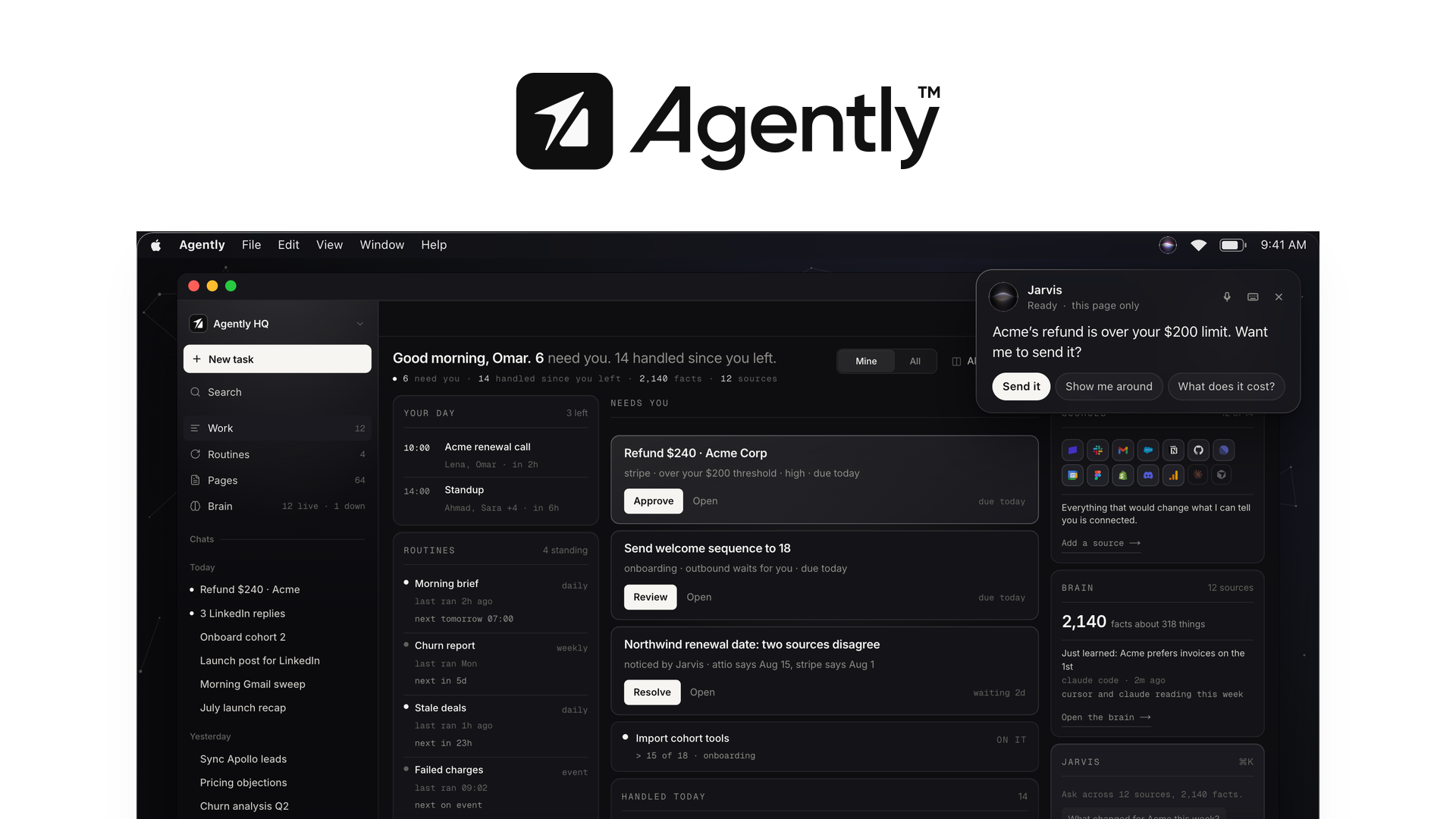
On top of that sits Jarvis, the agent that does the work. You describe a task in plain language, attach your brain and skills, and Jarvis plans the steps, calls your tools and reads the results before deciding what to do next. It can draft emails, update CRMs and publish docs.
The output is finished work. Agently generates docs, decks, sheets and HTML pages you can send, and anything that leaves the company waits for your approval. It also works with Claude and ChatGPT over MCP, so you can keep your current stack on day one.
Key facts
- One-time price: $69 for Tier 1, listed at $199
- What it replaces: Notion, Zapier and ChatGPT, per the listing
- Access: Lifetime
- Refund window: 60 days
- Tier structure: Four tiers, chosen directly at checkout
- Integrations named: Google Drive, Linear, Notion, Slack, Stripe
- Best for: Consultants, agencies and founders
- Vendor: Founded January 2026, based in Montreal, 1-10 people, bootstrapped
What the payback looks like
The listing does not name the monthly cost of the tools it replaces, so the number comes from your own bills. Say your notes, automation and AI subscriptions together cost $60 a month. Tier 1 then pays for itself in about a month. At $30 a month, it pays for itself in under three months.
Under six months is excellent. Between six and twelve is fine if you use it weekly. If Agently replaces only one small subscription, the payback stretches and you are mostly betting on the vendor surviving. For a deeper look at this trade, read our guide to lifetime deals versus subscriptions.
What you actually get
A shared memory for the company. Connect tools from 100+ integrations and upload your own files. Agently builds a graph of how people, clients and issues connect. Every answer is cited, so you can check where it came from. Paying for a separate AI assistant that forgets everything each morning is the cost this addresses.
Delegated work. Jarvis takes a plain-language task and runs it through your connected tools. You stop pasting context into a chat window and retyping instructions.
Finished outputs. Docs, decks, sheets and HTML pages come out ready to send. You can share pages with a link or gate access so only the right people see them. This covers work you might otherwise pay a document or page tool for.
Recurring routines. Set up routines for regular outputs, such as a morning brief or a weekly competitor check. That replaces a scheduled automation you would otherwise build and maintain yourself.
Approval before anything sends. You approve outgoing emails and refunds over your threshold. You see the exact payload before it goes. Destructive actions are blocked by default, with overrides set tool by tool. For a tool that acts on your behalf, this is the control that matters most.
Tiers and limits
Each tier is a one-time payment with lifetime access. You pick your tier directly. Codes do not stack here, so the idea of buying an entry tier and stacking later does not apply. Choose the tier you need now. Our explainer on how AppSumo codes stack covers deals that work differently.
- Tier 1: $69, listed at $199
- Tier 2: $159, listed at $399
- Tier 3: $249, listed at $599
- Tier 4: $489, listed at $999
What each tier raises:
- One-time credits: 1,000, 3,000, 6,000 and 10,000
- Users: 1, 1, 5 and 10
- Connected apps: 3, 7, unlimited and unlimited
- Sync: Manual on Tier 1, automatic on Tiers 2, 3 and 4
The limits do not scale evenly. Tier 2 triples the credits and more than doubles the connected apps, but still serves one user. Tier 3 is where seats jump to five and apps become unlimited. Tier 4 mostly adds credits and seats. All tiers include agents, brain, pages, skills and routines.
Things to weigh
- Tier 1 is limited. It allows three connected apps and manual sync. Automatic sync, which keeps the brain current as your apps change, starts at Tier 2. Bringing your own AI model keys also starts at Tier 2.
- Specialist sub-agents need Tier 3. Splitting bigger jobs across agent teams is available from Tier 3 and above.
- Credits are one-time. Each tier lists a fixed credit amount, so heavy users should check how fast tasks consume them.
- The company is new. It was founded in January 2026 and is a small, bootstrapped team. That is a normal profile for a deal like this, but it is the real survival question to weigh. Our piece on the pros and cons of lifetime deals explains how to think about it.
Before you buy
- Check that the tools you rely on are among the 100+ integrations, not only the five named on the listing.
- Decide whether three connected apps is enough. If not, price Tier 2 or higher from the start.
- Confirm how you would move your current notes and files in, using the PDF, doc, image and URL uploads.
- Ask the vendor what export options exist for your brain and generated pages.
For a longer checklist, see our factors to verify before buying a lifetime deal.
Who it suits, and who should look elsewhere
Suits:
- Consultants who juggle several clients and need context at hand
- Agencies that want drafted work with a sign-off step
- Founders who currently paste company background into an AI chat every day
- Teams that already pay for a notes tool, an automation tool and an AI assistant
Look elsewhere:
- Teams that need many seats and sub-agents on a small budget, since those arrive at higher tiers
- Buyers who want a long-established vendor, because a subscription from a mature company carries less risk
- People who use one AI tool occasionally and would not cancel any current subscription
Verdict
Agently is a clear idea. It gives your AI a memory of your business and lets it act on that memory, with your approval on anything consequential. If it replaces two or more subscriptions you pay for today, Tier 1 at $69 is easy to justify. The 60-day refund window lowers the risk of finding out.
Tier 1 is a trial, not a finished setup. Manual sync and three apps will push most working teams toward Tier 2. Price that tier honestly before you decide. If your stack is large or your team is bigger than one, Tier 3 is where the limits stop getting in the way.
Activate your purchase right away so the refund clock and your testing start together. Then decide by day fifty, while the 60-day refund window is still open. Our notes on the AppSumo refund policy explain how that window works, and our AppSumo lifetime deals roundup lists other options if this one does not fit.
Not sure yet? Run this deal through our free scorecard. Seven checks, a payback calculator, and a plain verdict on whether to buy. Get the Lifetime Deal Scorecard, free
SAASTOOLY Rating: 4.5/5
FAQ
Is Agently a one-time payment? Yes. Each of the four tiers is a one-time payment with lifetime access.
What is the refund window? You can get a refund up to 60 days after purchase. Plus members are also covered by the We Got Your Back guarantee.
Do codes stack? No. The deal uses direct tier selection. You choose Tier 1, 2, 3 or 4 at checkout.
Which tier gives automatic sync? Automatic sync starts at Tier 2. Tier 1 uses manual sync.
Can I use my own AI model keys? Yes, from Tier 2 and above. Tasks otherwise run on Anthropic's Claude.
Does it work with Claude and ChatGPT? The vendor says it plugs into your existing stack, including Claude and ChatGPT over MCP.
Similar products in category

Thoughtly Lifetime Deal
Thoughtly Lifetime Deal helps you deploy lifelike AI voice agents, sync CRM data, and launch SMS campaigns faster than ever.
ChatMaxima Lifetime Deal
ChatMaxima Lifetime Deal is a conversational AI platform designed for creating no-code chatbots specifically for customer service and lead generation.
Bot9 Lifetime Deal
Bot9 Lifetime Deal is an AI-driven, no-code platform that allows you to design and train a chatbot for customer service, helping to automate sales and support functions.