This page contains an affiliate link. If you buy through it, I earn a commission at no extra cost to you. AppSumo deal terms can change after publishing, so treat the live listing on the deal page as the final word on price and tiers.
The bill this replaces
Feed readers and content monitoring tools usually run as a monthly subscription. A tool in this category charging around fifteen to twenty dollars a month adds up to somewhere between one hundred eighty and two hundred forty dollars a year, every year, for as long as you keep using it. follow.it is being sold on AppSumo as a one time payment starting at forty nine dollars, down from a listed retail price of one hundred ninety six dollars. That is the trade being offered here: stop paying monthly, pay once, and see if the tool still does the job.
What it is
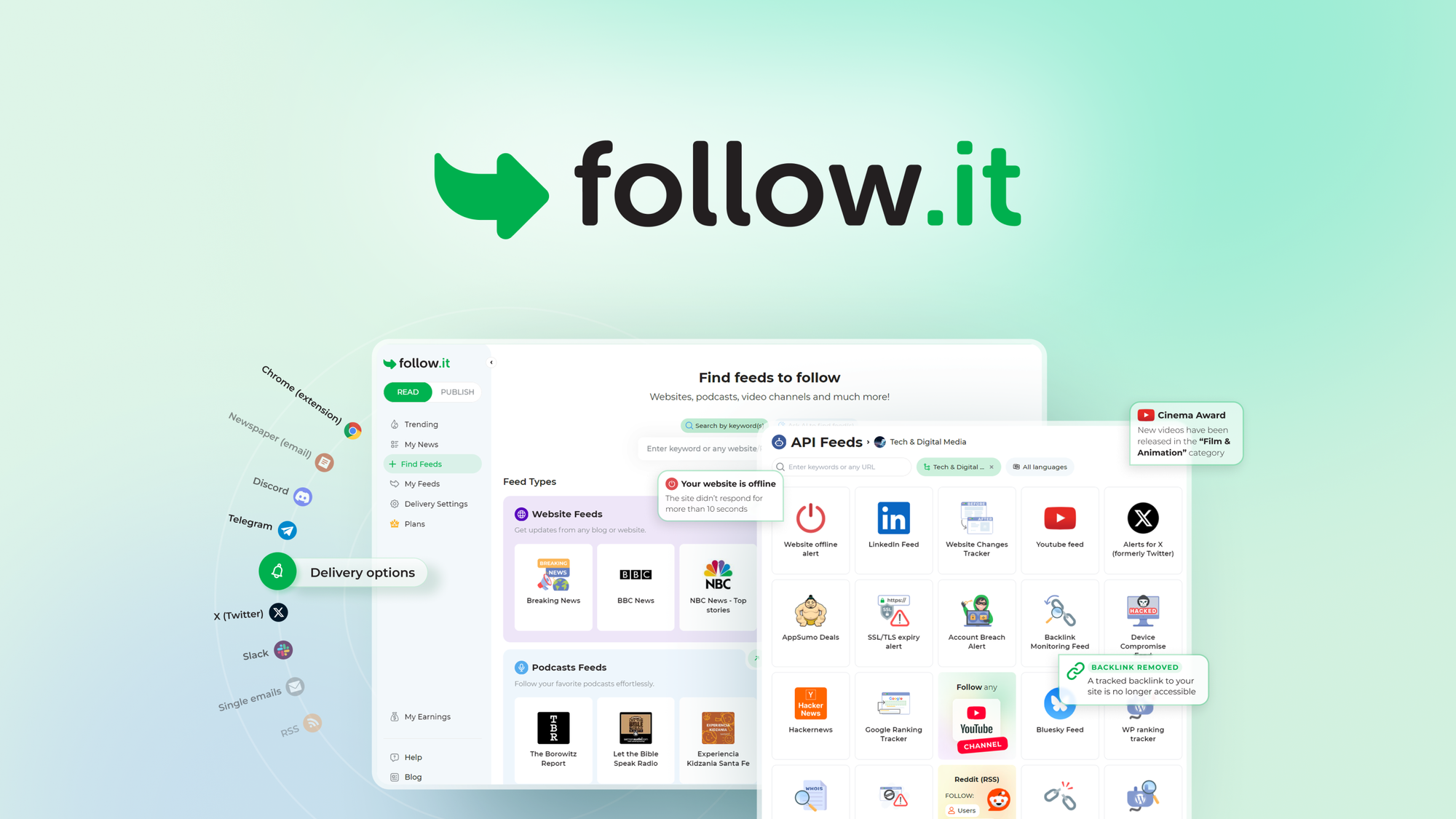
follow.it is a feed aggregator. It pulls in websites, blogs, and a set of specialized API feeds, then routes updates to wherever you actually read things: email digest, RSS, Telegram, Slack, browser push, or a mobile app. The pitch is that you stop bouncing between ten tabs and inboxes and instead get one hub that already sorted what matters.
The company has been running this same core idea for more than ten years, and this AppSumo listing is described as their flagship product, not a side project. Beyond plain websites and blogs, the feeds extend into things like YouTube channel monitoring, website uptime and SSL expiry checks, and financial or weather data feeds. It sits somewhere between a classic RSS reader and a lightweight monitoring service.
Filtering is the other half of the pitch. Instead of getting every post from every source, you can filter by keyword, tag, author, or an AI prompt, and control delivery frequency separately per feed. That matters if you have ever muted a Slack channel because one feed dumped fifty low value posts into it in one day.
Key facts
- One time price: forty nine dollars for License Tier 1, down from a listed one hundred ninety six dollars
- Refund window: sixty days, covered under AppSumo's standard refund policy
- Tier structure: four fixed tiers, License Tier 1 through License Tier 4
- Plan selection: this is a direct tier purchase, not a stackable code model
- Support: standard support on Tier 1, premium support from Tier 2 up
What the payback looks like
Against a monthly subscription in the fifteen to twenty dollar range, the forty nine dollar Tier 1 price pays for itself in roughly three months. That is a fast payback by any standard, and it stays fast even if you only use the tool moderately. If you were paying for a comparable feed reader or monitoring tool already, canceling that subscription after buying this one is where the real saving shows up, not in any feature comparison.
What you actually get
One inbox for everything you track. Websites, blogs, and specialized API feeds all land in a single dashboard instead of ten separate apps. If your current setup is "check five different sites plus two apps," this replaces that with one place to check.
Delivery on your terms. You can read updates as they land, get a daily Newspaper digest, or a weekly Magazine summary, and choose per feed whether it goes to email, RSS, Telegram, Slack, browser push, or your phone. This is the difference between a tool you check obsessively and one you check once a day without missing anything.
Filtering instead of noise. Keyword, tag, and author filters, plus AI prompts, cut down what actually reaches you. Paired with per feed delivery frequency, this is what keeps a busy Slack channel usable instead of becoming another thing you mute.
Monitoring beyond content. Website uptime, SSL and TLS expiry, and domain change alerts are bundled in alongside the content feeds. If you currently pay for a separate uptime monitor on top of a feed reader, this covers both jobs from one subscription-turned-purchase.
A personal reading layer. You can save stories into a personal news page and forward stories straight to Buffer to queue social posts. For anyone running a newsletter, blog, or social account off curated content, that removes a manual copy paste step.
Tiers and limits
This deal uses direct tier selection. You pick the plan that fits and buy that tier outright, there is no stacking multiple codes to unlock a higher tier.
- Tier 1, forty nine dollars: 500 regular feeds, 10 number feeds, 10 course feeds, standard email delivery speed, 5 AI summaries a day, 500 AI filter checks a month, standard support
- Tier 2, ninety nine dollars: 1,000 regular feeds, 25 number and course feeds, delivery up to five times faster, 20 AI summaries a day, 2,000 AI filter checks a month, premium support
- Tier 3, one hundred ninety nine dollars, marked as recommended: 3,000 regular feeds, 50 number and course feeds, delivery up to ten times faster, 50 AI summaries a day, 5,000 AI filter checks a month, premium support
- Tier 4, two hundred ninety nine dollars: 8,000 regular feeds, unlimited number feeds, 100 course feeds, delivery up to ten times faster, 100 AI summaries a day, 10,000 AI filter checks a month, premium support
The jump between tiers is not proportional. Feed count scales up fast, but email delivery speed only improves once, going from standard to five times faster between Tier 1 and Tier 2, then to ten times faster from Tier 3 onward. AI summary and filter allowances scale steadily tier to tier, so if AI filtering is the main reason you want this tool, that is where to look closely before picking a plan.
Things to weigh
Tier 1 caps you at 500 regular feeds and only 5 AI summaries a day, which is workable for a single person tracking a modest set of sources but tight if you plan to monitor client sites or run this across a team. Faster email delivery is also gated: you stay on standard speed until Tier 2, so if near real time alerts matter to you, budget for at least the second tier. The AI filter allowance is also monthly and capped by tier, so heavy filter use on a large feed list could run into that ceiling before the month is out.
Before you buy
Check that your payment method works with AppSumo's checkout in your country, since that is who is processing this sale, not follow.it directly. If you are moving from an existing RSS reader or feed tool, confirm there is an import path for your current feed list before you commit to a tier, since feed count is the main thing separating the tiers. If Slack or Telegram delivery is the reason you want this, make sure that integration works the way you expect before the refund window closes. And if uptime or SSL monitoring is part of why you are buying it, verify that specific feed type is included at the tier you are choosing, since it is listed as a general capability rather than tied to one tier.
Who it suits, and who should look elsewhere
This suits you if:
- You are currently paying monthly for a feed reader like the ones follow.it lists as alternatives, and want to convert that to a one time cost
- You track a moderate number of websites, blogs, or API feeds and want one delivery hub instead of several
- You want per feed control over where updates land, whether that is email, Slack, Telegram, or RSS
- You run a newsletter, blog, or social account and want to pull curated content straight into a workflow that includes Buffer
Look elsewhere if:
- You need a very high feed count with fast delivery from day one, since that combination only shows up at Tier 3 and Tier 4, pushing the entry cost well past forty nine dollars
- You want a tool with a long, proven track record on a specific platform you rely on, since ongoing feature development might matter more to you than a one time price
- You would rather keep paying monthly for the flexibility to cancel any time a feed reader stops fitting your workflow, since a one time purchase removes that easy exit
Verdict
The core case for follow.it is straightforward. If you are paying a recurring fee for a feed reader or content monitor today, a forty nine dollar one time payment that does the same core job pays for itself in about three months. That math holds up even if you never touch the higher tiers. The AI filtering and uptime monitoring extras are a genuine bonus on top of that, not the reason to buy on their own.
Where it gets more interesting is the tier decision. Tier 1 is fine for a light personal setup, but if you know you will want faster delivery or a meaningfully higher feed count, it is worth comparing the jump to Tier 2 or Tier 3 against what a monthly subscription elsewhere would cost you over a year, since that is the real comparison this deal is asking you to make.
Redeem the code as soon as you buy it, since AppSumo codes carry activation windows and there is no benefit to sitting on it. Then actually run your real feeds through it for a few weeks and make your keep or refund call by day fifty, while the sixty day refund window is still open.
Not sure yet?
Run this deal through our free scorecard. Seven checks, a payback calculator, and a plain verdict on whether to buy.
Get the Lifetime Deal Scorecard, free
FAQ
Does this deal stack codes to unlock higher tiers?
No. This listing uses direct tier selection across four tiers, Tier 1 through Tier 4. You buy the tier you want outright rather than stacking multiple licenses.
What is the refund window?
Sixty days, and Plus members are also covered under AppSumo's We Got Your Back guarantee.
Can I get updates outside of email?
Yes. Delivery options include RSS, Telegram, Slack, browser push, and a mobile app, alongside the email digest option.
Does it monitor anything besides websites and blogs?
Yes. The listing includes YouTube channel monitoring, website uptime and SSL and TLS expiry tracking, domain change alerts, and specialized API feeds covering things like exchange rates, commodity prices, and weather alerts.
Is AI filtering included on every tier?
Yes, every tier includes AI summaries and AI filter checks, but the daily and monthly allowances scale up by tier, from 5 AI summaries a day on Tier 1 up to 100 a day on Tier 4.
Does support quality change by tier?
Yes. Tier 1 gets standard support, while Tier 2, Tier 3, and Tier 4 all get premium support.
If this kind of one time software purchase is new to you, it is worth reading up on how AppSumo lifetime deals work and comparing a lifetime deal against staying on a subscription before you commit to a tier. It also helps to run through a short checklist of what to verify before buying any lifetime deal, and if you want the general rundown on how AppSumo deals and refunds work, that is worth five minutes before day fifty arrives. For more picks in the same space, the marketing and sales tools category has other feed and monitoring tools worth comparing.