
Disclosure: SAASTOOLY earns an affiliate commission if you buy through our links, at no extra cost to you. Deal terms change, so the current listing is the authority on price, tiers, and conditions.
The subscription this replaces
Dictation and meeting transcription tools usually bill every month, and that cost repeats every year for as long as you use them. If you pay for something like Otter.ai or WisprFlow, which the vendor lists as its alternatives, that is a recurring charge with no end date. Garmingo Voice is sold as a one-time purchase with lifetime access, starting at $39. The listing shows a crossed-out price of $199 for that entry tier, which is 80 percent off. Here is what the tool does and what to check first.
What it is
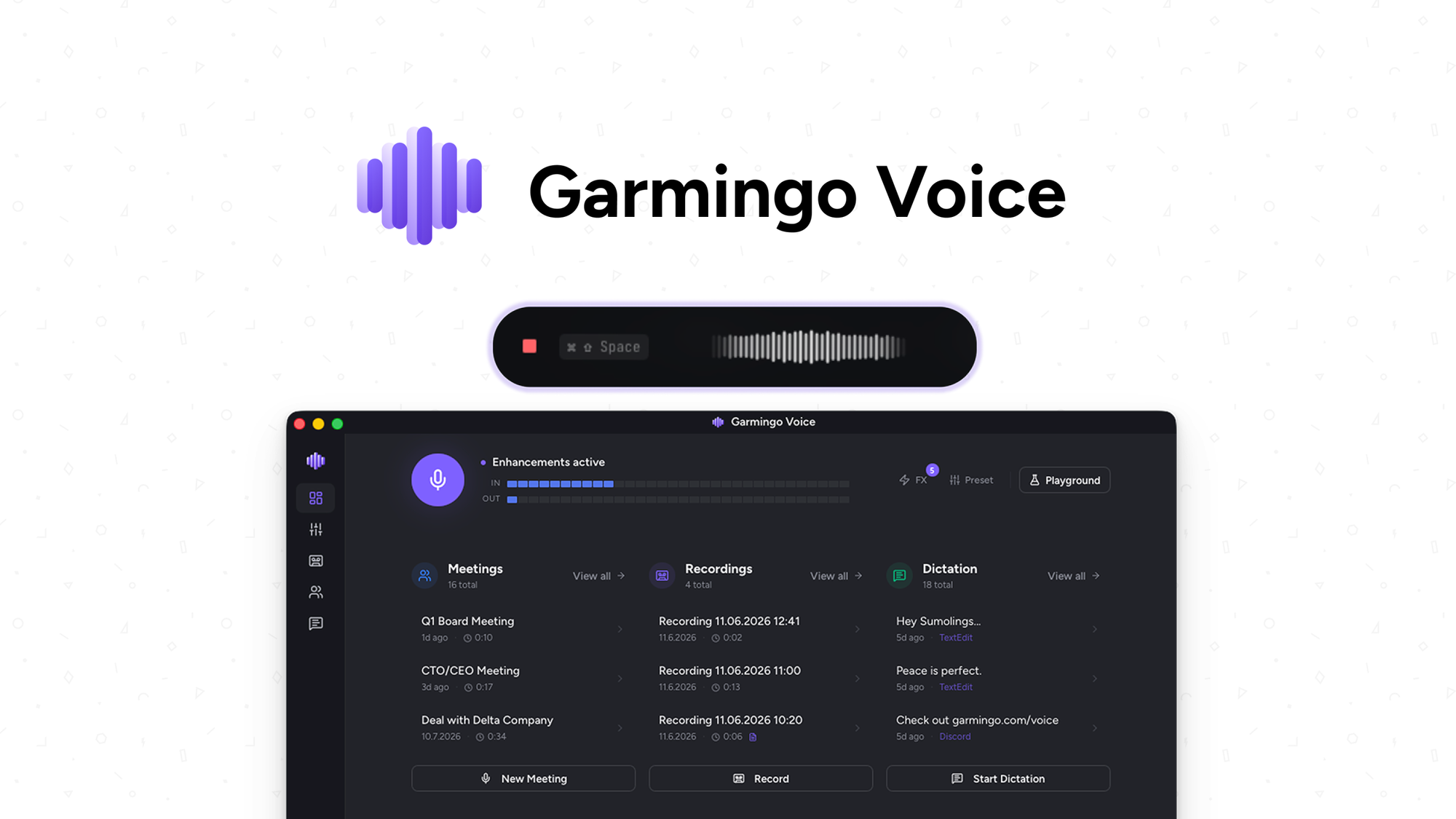
Garmingo Voice is a desktop app for Mac and Windows that handles three jobs. It turns your speech into text in whatever app you are using. It records and transcribes meetings. It also cleans up your microphone audio in real time.
The main selling point is that the work happens on your device. The vendor says most dictation and meeting tools send your voice to the cloud, where it can be stored and used to train AI. Garmingo says its offline AI never trains on your data. You can also opt into a GDPR-compliant EU cloud for extra speed, or run locally on your CPU or GPU.
The company was founded on May 1, 2026, is based in Witten, Germany, has a team of one to ten people, and is bootstrapped. The listing names Gmail, Microsoft Teams, and Slack as integrations. It suggests the tool suits customer support, developers, and remote teams.
Key facts
- One-time price: from $39 for Tier 1, with lifetime access
- Listed alternatives: Otter.ai and WisprFlow
- Refund window: 60 days
- Tier structure: four license tiers, chosen directly
- Platforms: macOS and Windows 10/11
- Languages: 99+ with automatic accent detection
- Integrations: Gmail, Microsoft Teams, Slack
- Early access: the listing showed a countdown on early access pricing
What the payback looks like
Take whatever you pay each month for dictation or transcription today. At ten dollars a month, the $39 entry tier pays for itself in under four months. At twenty dollars a month, it pays for itself in under two. Anything under six months is an excellent result.
If your current bill is only a few dollars a month, payback stretches past a year. At that point the deal only makes sense if you use the dictation and meeting transcripts every week. Higher tiers take longer to recover, so buy them only for the extra devices. For the broader trade-off, see our comparison of a lifetime deal versus a subscription.
What you actually get
Writing by voice in any app. You set a custom hotkey and dictate into whatever app has focus. The listing quotes about 72ms latency. The tool turns rambling speech into tone-adjusted copy formatted for the task, from emails to code. You can also teach it your names, products, and jargon so they are spelled right. This is the feature that matters most if you pay for a dedicated dictation subscription.
Meeting transcripts. You can record meetings from any app and get transcripts with speaker labels and timestamps. Local transcription is listed as unlimited in 99+ languages. You can search your whole library of meetings, voice memos, and dictation sessions. You can also import audio files and trim dead air with Remove Silence.
Answers from recordings. You can ask the built-in AI what a recording is about and get a structured summary. It can also pull out decisions, quotes, and action items, so you do not have to replay the whole meeting.
A better-sounding mic. The app removes noise, echo, and harsh edges in real time. It includes a five-band equalizer from 80Hz to 12kHz and a compressor with adjustable threshold, ratio, attack, and release. You can add warmth and switch each effect on or off. If you take calls on a basic microphone, this can replace a separate audio tool.
Tiers and limits
The deal uses direct tier selection. You pick one of four tiers, so the idea of buying an entry tier and stacking more later does not apply. Our guide to how codes stack on AppSumo covers the other format.
- Tier 1: $39 (listed at $199), 1 device, 24,000 cloud credits
- Tier 2: $119 (listed at $289), 3 devices, 60,000 cloud credits
- Tier 3: $249 (listed at $579), 6 devices, 150,000 cloud credits
- Tier 4: $399 (listed at $889), 15 devices, 250,000 cloud credits
The feature list is shown once for all tiers, so the two numbers that change are devices and cloud credits. They do not scale evenly with price. Tier 1 and Tier 2 cost about the same per device. Tier 4 is the cheapest per device, at about $27. Solo users have little reason to go past Tier 1 unless they expect to use a lot of cloud credits.
Things to weigh
- Cloud credits are capped. Local transcription is listed as unlimited, but cloud use draws from a credit balance that differs by tier. If you rely on the EU cloud for speed, your tier matters.
- Desktop only. The listing supports macOS and Windows 10/11. Other platforms are not mentioned.
- A young company. The vendor was founded in May 2026 and is a small, bootstrapped team. Lifetime access only pays off if the company keeps shipping and supporting the product for years. Our piece on the pros and cons of lifetime deals explains how to weigh that.
Before you buy
- Confirm you run macOS or Windows 10/11, and check that your machine can run local AI on its CPU or GPU.
- Check that Gmail, Microsoft Teams, and Slack cover the apps you actually use for meetings and writing.
- Check what formats you can export transcripts in, so your library is not stuck inside the app.
- Decide how much cloud use you expect, then match your tier to that and to your device count.
Our checklist of factors to verify before buying a lifetime deal covers the general steps. The AppSumo refund policy explains how the 60-day window works.
Who it suits, and who should look elsewhere
Good fit
- People who dictate emails, notes, or code daily and want private, on-device processing
- Remote teams and customer support staff who record many meetings and need searchable transcripts
- People paying for a dictation or transcription subscription, and for a separate mic tool
- Small teams who need several devices under one purchase
Look elsewhere
- Anyone who needs a mobile or non-Windows, non-Mac app
- Occasional users who transcribe a few calls a year, since a free tier or a month-to-month plan costs less
- Anyone who needs a vendor with a long track record before committing
Verdict
Garmingo Voice replaces up to three jobs with one purchase. Those jobs are dictation, meeting transcripts, and mic cleanup. The on-device approach is its clearest strength, and Tier 1 at $39 is a low-risk way to try it. If you pay a monthly bill for either dictation or transcription, the payback is quick.
The risk is the company's age. It launched in 2026 and has a small team, so you are trusting it to still be around in three years. The 60-day refund window limits the downside. For most solo buyers I would take Tier 1 and skip the larger tiers unless you need the devices.
Install and set it up as soon as you buy, since early access pricing runs on a countdown and terms change. Then decide by day fifty, while the refund window is still open.
Not sure yet? Run this deal through our free scorecard. Seven checks, a payback calculator, and a plain verdict on whether to buy. Get the Lifetime Deal Scorecard, free
SAASTOOLY Rating: 4.5/5
FAQ
Does it work offline? Yes. The listing says full offline functionality is included, with on-device AI running on your CPU or GPU.
Which systems does it support? macOS and Windows 10/11.
How many languages does it cover? It converts speech in 99+ languages and includes automatic accent detection.
What is the refund window? You can get a refund up to 60 days after purchase. Plus members are also covered by the We Got Your Back guarantee.
Does my audio go to the cloud? The vendor says audio stays on your device and its offline AI never trains on your data. Cloud processing through a GDPR-compliant EU option is something you opt into.
What changes between tiers? The number of devices and the cloud credits. Tier 1 has 1 device and 24,000 credits. Tier 4 has 15 devices and 250,000 credits.
Similar products in category
Xound Lifetime Deal
Xound Lifetime Deal is a safe platform that employs AI voice enhancement and local processing to record exceptionally clear audio.
SyncMonster Annual Deal
SyncMonster Annual Deal is an AI tool that generates content by converting audio and synchronizing lip movements for more natural and genuine facial expressions.
Castmagic Lifetime Deal
Castmagic Lifetime Deal is an AI platform designed to transform extensive media into shareable content for agencies and content teams.