SalesNexus Lifetime Deal
SalesNexus Lifetime Deal is an effective CRM and marketing solution that rapidly streamlines your sales processes from beginning to end.

Cut repetitive sales work and keep customer follow-ups on track without a recurring CRM bill
Disclosure
SAASTOOLY may earn an affiliate commission from purchases at no extra cost to you. Deal terms can change, so the current AppSumo listing is authoritative.
A recurring CRM bill keeps charging for contact management and follow-ups long after setup. NinjaPipe offers an alternative starting at $69 once, against a listed retail comparison of $588. The purchase makes financial sense when it lets you cancel software you already pay for.
The platform combines customer records, sales pipelines, outreach automation, appointment scheduling, and financial tracking. That gives small teams several possible ways to consolidate their work. Start with the subscription you want to remove, then check whether NinjaPipe handles its essential jobs. Our guide to lifetime deals versus subscriptions explains that buying decision.
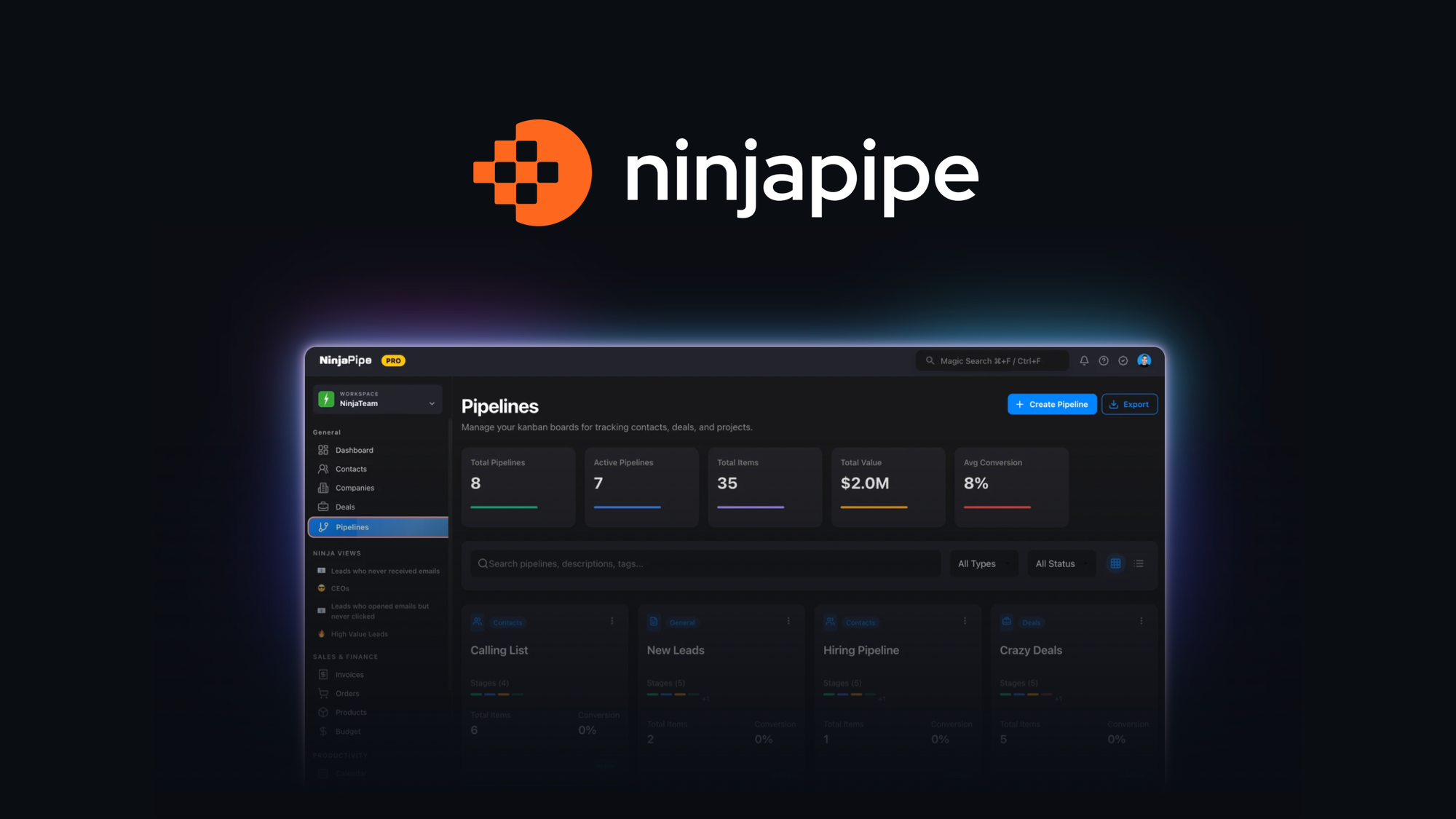
NinjaPipe is a browser-based CRM and sales platform with iOS and Android apps. It stores leads and customers, tracks deals, and runs automated sequences around events in your CRM.
It also includes client portals, forms, quotes, invoices, and income and expense tracking. Zapier, Pabbly Connect, and an API provide ways to connect it to other systems. The listing positions it as an alternative to HubSpot, Salesforce, and Zendesk, although your own workflows determine whether it can replace them.
One-time price: $69, $199, $399, or $699.
Access: Lifetime access to NinjaPipe.
Listed alternatives: HubSpot, Salesforce, and Zendesk.
Refund window: 60 days from purchase.
Tier structure: Four directly selected license tiers.
Codes and stacking: No codes and no stacking.
Activation deadline: Within 60 days of purchase.
Platforms: Browser, iOS, and Android.
Integrations: Zapier and Pabbly Connect; the FAQ also mentions Albato.
The $69 entry tier has excellent payback if the subscription spending it actually removes reaches $69 in under six months. Six to twelve months is reasonable for weekly use. Longer recovery periods require NinjaPipe to become central to your work.
Use the bill you can cancel when comparing costs. Bring-your-own email delivery remains part of the setup, so the CRM purchase alone does not establish your total ongoing cost.
Custom fields, labels, groups, and sales pipelines let you organize records around your business. Bulk imports accept CSV, XLSX, and XLS files with field mapping. This matters when moving away from a paid CRM without rebuilding your contact database manually.
Automations use triggers and activation conditions to send emails or SMS messages and schedule appointments. Automation Recipes provide templates, while automatic lead assignment helps distribute incoming prospects. Each workflow supports up to 25 steps.
The AI appointment setter can message new leads and schedule meetings. You guide its interactions with sample text and instructions. Listed calendar connections include Calendly, TidyCal, and OnceHub.
Client portals, company branding controls, and real-time chat bring customer interactions into the platform. These features are relevant if a separate portal subscription is part of your current setup.
NinjaPipe manages products and services, tracks income and expenses, and generates quotes and invoices. Invoice automation can handle recurring invoice-related work. Customizable dashboards and reports help connect financial activity to the sales process.
All four tiers include the shared features, including mobile apps, API access, client portals, email templates, and AI integrations. Unlimited monthly emails require your own email service provider.
This is direct tier selection. The usual AppSumo code-stacking approach does not apply.
Contacts: 10,000. Users/teammates: 3. Workspaces: 1.
Automation workflows: 10. Pipelines: 5. Custom forms: 10.
Products: 60. Data bins: 25.
Task management: 5,000. Quotes and invoices: 5,000. Deals: 5,000.
Workflow runs: 2,000 per month. Booking pages: 3.
Meta tags, Data stores: 100.
Contacts: Unlimited. Users/teammates: 20. Workspaces: 10.
Automation workflows: 25. Pipelines: 15. Custom forms: 25.
Products: 200. Data bins: 50.
Task management: 10,000. Quotes and invoices: 10,000. Deals: 10,000.
Workflow runs: 5,000 per month. Booking pages: 20.
Meta tags, Data stores: 500.
Tier 2 makes contacts unlimited and substantially increases team and workspace capacity. Workflow runs rise less sharply than workspaces.
Contacts and users/teammates: Unlimited. Workspaces: 25.
Automation workflows, pipelines, custom forms, products, and data bins: Unlimited.
Task management, quotes and invoices, deals, booking pages, and Meta tags, Data stores: Unlimited.
Workflow runs: 10,000 per month.
Tier 3 removes most quantity caps. Workspace count and monthly execution capacity remain finite.
Workspaces: 50. Workflow runs: 20,000 per month.
All other listed tier quantities are unlimited, matching Tier 3. The additional $300 doubles workspace and workflow-run capacity. AppSumo marks this tier as recommended.
Even Tier 4 stops at 20,000 workflow runs per month, and the shared limit is 25 steps per workflow. Agencies should size automation usage separately from contact and teammate counts.
The deal includes unlimited monthly emails with your own email service provider. The founder also describes email and SMS marketing as bring-your-own-key. Existing delivery arrangements matter when estimating savings.
Reviews describe Google Calendar issues, limited role-based interface controls, and API gaps around live chats and activity logs. Other buyers praise updates and Discord support, while questions report delayed support responses. Treat those reports as reasons to verify your particular setup.
The checks to make before buying a lifetime deal should focus on four jobs here.
Use the 60-day window to evaluate those workflows. Our AppSumo refund policy guide explains the refund process.
NinjaPipe is a strong candidate for a small business replacing everyday CRM work. Tier 1 keeps the upfront commitment low. Tier 3 is the more attractive agency option when unlimited teammates and most unlimited record limits matter. Tier 4 needs a clear workspace or execution requirement to justify the extra cost.
The founder describes a bootstrapped business serving both lifetime and recurring-revenue customers, and announced a rebuilt v4 platform in March 2026. Those are useful signals. Purchase decisions should still rest on the features that handle your work now, rather than confidence in future additions.
The two deadlines that matter are activation within 60 days of purchase and the 60-day refund cutoff. Activate immediately, then make your keep-or-refund decision by day fifty.
SAASTOOLY Rating: 4.5/5
Not sure yet?
Run this deal through our free scorecard. Seven checks, a payback calculator, and a plain verdict on whether to buy.
Get the Lifetime Deal Scorecard, free
Yes. The four license tiers cost $69, $199, $399, and $699 once and include lifetime access.
No. The terms explicitly specify no codes and no stacking. You select a license tier directly.
Tier 3 and Tier 4 allow unlimited automation workflows. Monthly runs remain capped at 10,000 and 20,000 respectively, with up to 25 steps per workflow.
Choose Bulk Import on the contacts page, upload a CSV, XLSX, or XLS file, and map its fields. Each row needs at least a first name, last name, or email.
Yes. NinjaPipe has iOS and Android apps alongside browser access.
Support options include in-account tickets, support@ninjapipe.com, Discord, and the Facebook community. The founder says web-app ticketing is accessible through the help icon or avatar menu.