
One Accessibility Lifetime Deal
Make your WordPress site easier to navigate and read for visitors with different access needs
Disclosure: We may earn an affiliate commission at no extra cost to you. Deal terms can change, so the current AppSumo listing is authoritative.
An alternative to another per-site subscription
A recurring accessibility subscription becomes another bill for every website you manage. One Accessibility offers a different cost structure: lifetime access starting at $49 for one WordPress website, compared with the listing’s $139 retail reference price.
For agencies, the appeal is avoiding repeated subscription charges across client sites. For a small business, it is keeping accessibility tools inside an existing WordPress setup. The purchase makes sense when its tools cover the work you need done. Our lifetime deal versus subscription guide explains the broader trade-off between upfront savings and an ongoing service relationship.
What it is
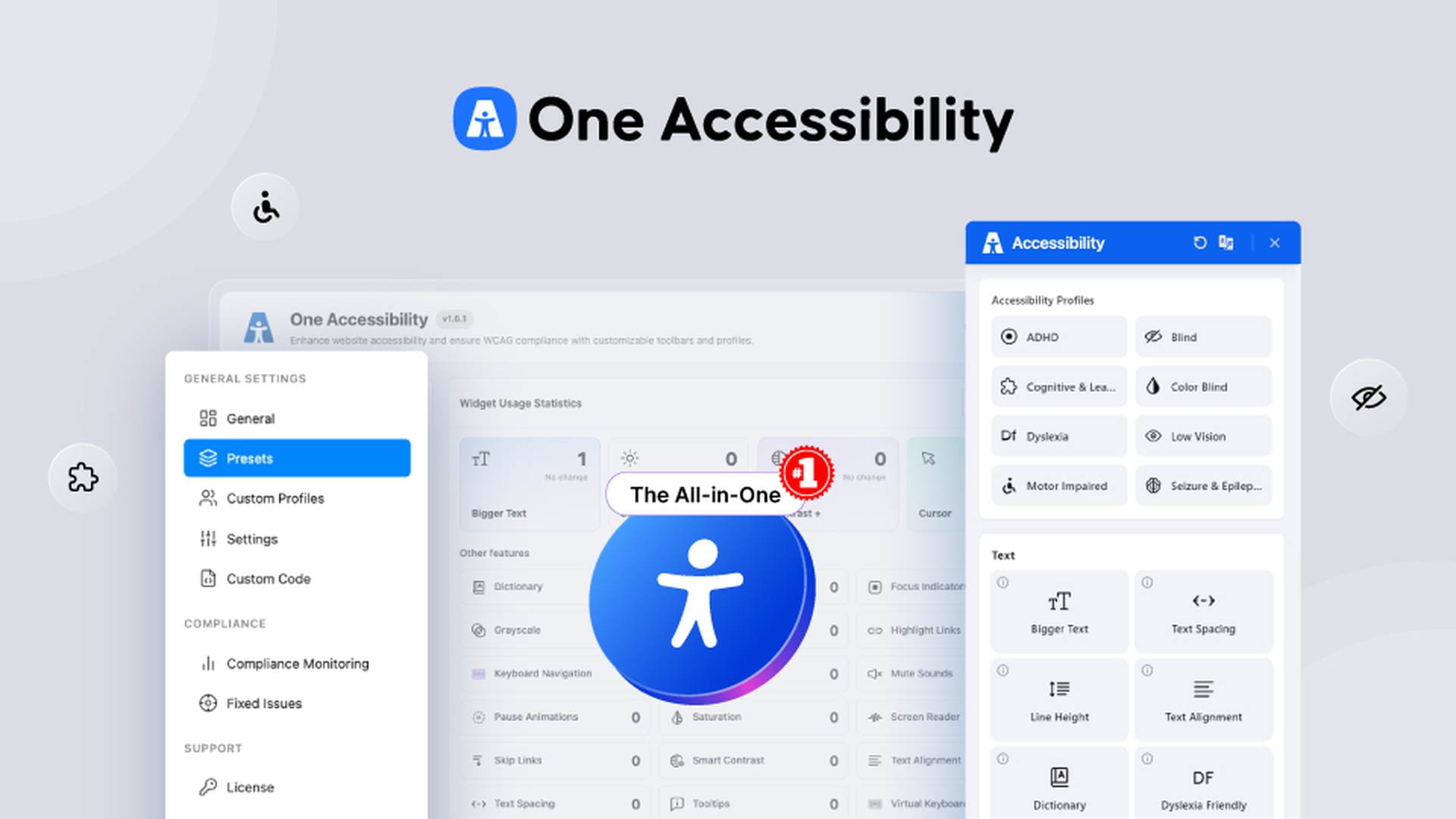
One Accessibility is a WordPress plugin that adds a visitor-facing accessibility toolbar and tools for checking accessibility issues. It runs natively within WordPress rather than relying on an external overlay script.
Visitors can adjust how they read and navigate your site. Site owners get an AI-driven checker, an accessibility statement generator, and usage statistics stored in their own WordPress database.
The listing describes support for WCAG 2.2 AA and ADA guidelines. Treat that as the scope of the tools, rather than a guarantee that installing the plugin makes every page compliant.
Key facts
One-time price: Starts at $49 for lifetime access.
Retail comparison: The Personal plan is listed against $139.
Alternatives named: UserWay, AccessiBe, and Web Accessibility, formerly Ally.
Platform and integrations: WordPress, Divi, Elementor, Gutenberg, and WooCommerce.
Refund window: Refundable for up to 60 days.
Tier structure: Four selectable plans covering 1, 5, 50, or 1,000 websites.
White labeling: Branding removal is available in Tier 4.
Updates: Ongoing updates and improvements are included.
For the mechanics of requesting a refund, our AppSumo refund policy guide is useful background.
What the payback looks like
The $49 entry price is attractive if this plugin lets you cancel a paid accessibility subscription. Your actual monthly bill determines how quickly the purchase pays for itself.
The $139 retail reference is a purchase-price comparison, not a monthly subscription rate. The strongest financial case is replacing an existing recurring charge. If you are adding accessibility tools for the first time, this is a new expense rather than a recovered subscription cost.
What you actually get
Help visitors read comfortably
The toolbar includes more than 50 tools, with contrast adjustments, font sizing, text spacing, cursor tools, and dyslexia-friendly fonts. Text-to-speech and reading modes provide additional ways to consume page content.
These are relevant if your current subscription mainly supplies visitor-controlled reading adjustments.
Improve navigation and reduce motion
The listing includes visible keyboard focus indicators, optimized tab order, skip links, and on-screen keyboard support. Motion controls let visitors pause animations.
This extends the purchase beyond changing colors and font sizes to supporting how people move through a page.
Reuse configurations across sites
Seven ready-made disability profiles give visitors preset options. You can also create custom profiles and apply unlimited presets across a site or conditionally to pages, posts, and archives.
Backup and restore tools let agencies reuse configurations across client sites. Multilingual and right-to-left options are included.
Match the widget to the website
A drag-and-drop editor controls the widget’s icon, size, position, colors, and layout, with a real-time preview.
That matters when a client-facing toolbar needs to fit the website’s design. Removing the product’s branding requires Tier 4.
Find issues and document your work
The AI checker flags WCAG 2.0, 2.1, and 2.2 AA issues. A dashboard identifies images missing alt text and lets you fix them there.
The plugin also generates an accessibility statement and records which tools visitors use. Those statistics stay in your WordPress database. These features support ongoing accessibility work, but the listing does not establish that automated checks cover every possible issue.
Tiers and limits
The listing uses direct plan selection. Choose the website allowance you need at purchase; this is not presented as an entry purchase followed by code stacking.
Personal: $49, with a $139 retail reference. Covers 1 website.
Business: $129, with a $349 retail reference. Covers 5 websites.
Business: $279, with a $599 retail reference. Covers 50 websites.
Agency: $399, with a $1,299 retail reference. Covers 1,000 websites.
The two middle plans both carry the Business name in the supplied listing.
Website capacity increases sharply between tiers. Branding removal adds a separate reason to choose Agency, even if you need fewer than 1,000 installations. The core toolbar, profiles, customization, reading tools, and ongoing updates appear across the plans.
Our guide to AppSumo codes and stacking explains why direct tier selection should be treated differently from stackable-code deals.
Things to weigh
White labeling requires the highest tier. An agency with only a handful of clients still needs the $399 Agency plan to remove One Accessibility branding.
This is a WordPress purchase. Its listed integrations are WordPress and WordPress builders or commerce tools. It does not address a mixed-platform portfolio.
Vendor continuity matters. The company says it has built WordPress tools since 2012, while One Accessibility launched on WordPress.org in September 2025. The company’s longer operating history does not give this newer plugin the same product history. That distinction belongs in any assessment of the pros and cons of lifetime deals.
Before you buy
- Verify compatibility with your exact WordPress theme, builder, WooCommerce setup, and other active plugins.
- Check the toolbar, keyboard navigation, reading modes, and motion controls on representative pages during the refund period.
- Confirm that multilingual and right-to-left behavior covers your site’s languages and layouts.
- Check the selected plan’s website allowance and branding-removal entitlement before paying.
These are practical checks for this purchase, alongside the broader factors to verify before buying a lifetime deal.
Who it suits, and who should look elsewhere
Who it suits
- Small businesses adding visitor-controlled accessibility tools to WordPress.
- WooCommerce operators wanting reading and navigation options.
- WordPress agencies reusing presets across multiple client sites.
- Buyers replacing a subscription whose functions match the listed tools.
Who should look elsewhere
- Owners whose websites run outside WordPress.
- Agencies requiring branding removal but unwilling to buy Tier 4.
- Organizations that need their current subscription’s human-led audits or managed remediation. Those services are a reason to retain that subscription rather than assume this plugin replaces them.
Verdict
One Accessibility is a reasonable purchase for WordPress owners who need the listed toolbar, profiles, and checking tools. The $49 entry point limits the initial commitment, while the larger plans offer substantial website capacity.
The strongest case is replacing a matching recurring service. Buy for the specific tools and site allowance, rather than treating the widget as a complete answer to accessibility obligations.
Use the purchase date as your first checkpoint: activate promptly and begin compatibility checks. Make your keep-or-refund decision by day fifty, leaving room before the stated 60-day refund window closes.
SAASTOOLY Rating: 4.5/5
Not sure yet?
Run this deal through our free scorecard. Seven checks, a payback calculator, and a plain verdict on whether to buy.
Get the Lifetime Deal Scorecard, free
FAQ
Is this lifetime access?
Yes. All four listed plans offer lifetime access, with ongoing updates and improvements included.
How many websites can I use it on?
Personal covers 1 website. The two Business plans cover 5 and 50 websites, respectively, and Agency covers 1,000.
Can I remove One Accessibility branding?
Yes, with Tier 4, the Agency plan. Branding removal is the white-label option identified in the listing.
Which builders does it integrate with?
The listing names Divi, Elementor, Gutenberg, WooCommerce, and WordPress.
Does it use an external overlay script?
The listing says it runs natively inside WordPress without an external script or cloud dependency. Usage statistics are stored in your own WordPress database.
What is the refund window?
The purchase is refundable for up to 60 days. The listing also says Plus members receive coverage under AppSumo’s We Got Your Back guarantee.
Similar products in category
Nowa Lifetime Deal
Nowa Lifetime Deal is a no-code platform that makes it easy to create mobile, web, and desktop apps in a fraction of the time. Alternative to Webflow, Wix.

Elementskit Lifetime Deal
ElementsKit Lifetime Deal is a plugin for Elementor that includes high-quality widgets, templates, modules, and sections for increased productivity and site performance.

Brilliant Directories Lifetime Deal
Brilliant Directories Lifetime Deal is a complete turn-key platform for launching membership websites, managing members, selling subscriptions, publishing content, and more. Alternative to Bettermode, WordPress.