CX Genie Lifetime Deal
Cut repetitive customer support work and give customers faster answers around the clock with AI

Publish docs, FAQs and a changelog on your own WordPress site instead of a hosted help center
Disclosure: SAASTOOLY may earn an affiliate commission from qualifying purchases, at no extra cost to you. Deal terms can change, so the current AppSumo listing is authoritative.
Many teams pay every month for a hosted documentation platform that keeps their help content on someone else's servers. Others run a basic WordPress docs plugin, then add separate tools for FAQs, a changelog and a glossary.
The AppSumo listing names Microsoft OneNote, Notion and Mintlify as alternatives. weDocs costs $39 once for a single site, against a displayed retail comparison price of $299. If your website already runs on WordPress, it moves the whole help center onto a site you own and removes one recurring bill.
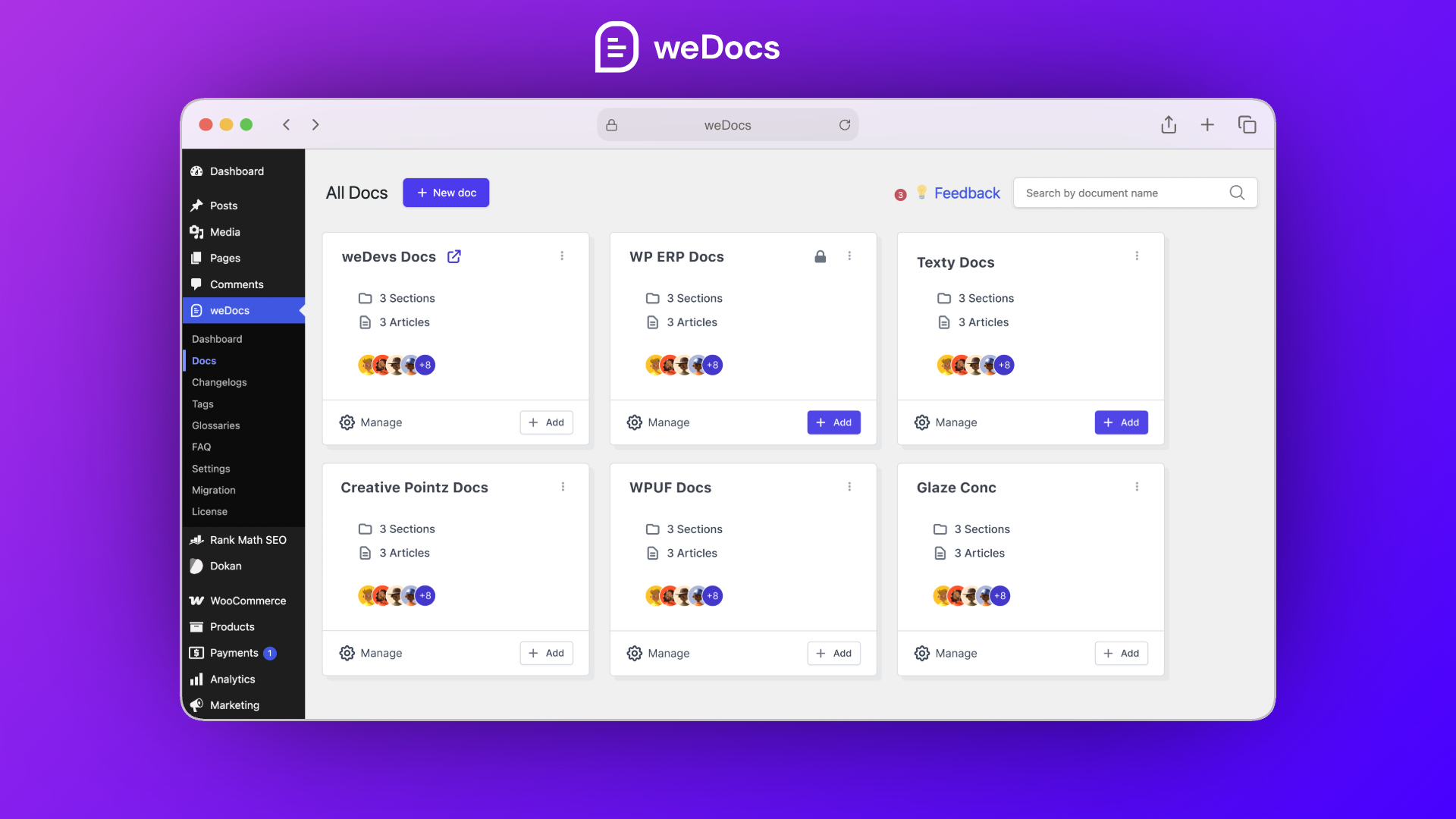
weDocs is a knowledge base plugin for WordPress. It adds documentation, FAQs, a glossary and a public changelog to your own site, managed from the WordPress dashboard.
You organise docs in nested sections, control who can read and edit each one, and design pages in Gutenberg or with dedicated Elementor widgets. AI can draft new docs from a prompt, product details or a screenshot, and you can connect Claude or ChatGPT over MCP to create and update articles.
It comes from weDevs, the team behind several WordPress products. The founder states the company has been building for WordPress for over 13 years. The listing shows weDocs founded in 2020 in Singapore, with a bootstrapped team of 11 to 50.
One-time price: License Tier 1 $39 (1 site), License Tier 2 $129 (unlimited sites).
Displayed retail comparisons: $299 and $499 respectively.
Alternatives named: Microsoft OneNote, Notion and Mintlify.
Integrations named: WordPress, Gutenberg, Elementor and RankMath, plus Dokan vendor dashboards.
Access and updates: Lifetime access to weDocs and all future plan updates.
Refund window: Refundable up to 60 days.
Codes: The deal terms allow stacking up to 2 codes.
Redemption deadline: Redeem your code within 60 days of purchase.
Launch pricing: The listing shows a countdown to a price increase on November 20, 2026, at noon US Central time.
If weDocs replaces a hosted documentation subscription, the $39 entry price is likely recovered within the first couple of months, which is an excellent result. Even the unlimited-sites tier recovers its cost quickly if it replaces docs tools across several client or product sites.
If you have no docs subscription today, the return is in fewer support questions and less time answering the same thing twice. Our comparison of lifetime deals and subscriptions helps frame that trade.
Docs, FAQs, a glossary and a changelog live on your WordPress site, under your domain. That keeps your content and the search traffic it brings in one place, and removes the risk of a hosted platform changing its prices or plans.
Nest articles up to seven levels deep, reorder sections with drag and drop, and clone a doc in one click. A built-in changelog lets you publish product updates next to the documentation they relate to.
Make any doc public, login-only, or limited to chosen user roles, and decide who can edit each doc. This lets one site carry both customer docs and an internal team wiki. For Dokan marketplaces, vendor-only docs can appear inside the vendor dashboard.
Live search shows results as visitors type, glossary tooltips explain terms on hover, and FAQ accordions can go on any page. An AI chatbot widget answers from your docs, with a contact form for the questions it cannot handle. Built-in analytics show which docs get read and which ones help.
AI drafts new docs from a prompt, product details or a screenshot. Connecting Claude or ChatGPT over MCP lets an assistant create and update articles, FAQs, glossary terms and changelog entries.
| Plan | One-time price | Sites |
|---|---|---|
| License Tier 1 | $39 | 1 |
| License Tier 2 | $129 | Unlimited |
Both tiers list the same features: public and private docs, advanced settings, Dokan support, the changelog, Gutenberg support, advanced analytics, the duplicator, and templates and documentation styles. The only difference shown is the number of sites. The deal terms state you can stack up to 2 codes, so check on the listing how a second code relates to Tier 2 before buying, as covered in our guide to AppSumo codes and stacking.
It only works on WordPress. If your site runs on another platform, a hosted docs tool is the simpler choice.
One site on the entry tier. Agencies and anyone with several products will need Tier 2 for unlimited sites.
AI features depend on outside services. Connecting Claude or ChatGPT over MCP means using those assistants, which may carry their own costs.
Run these checks alongside our checklist of factors to verify before buying a lifetime deal:
Who it suits
Who should look elsewhere
For a WordPress site, weDocs is an easy recommendation. The entry tier includes every listed feature for one site, the team has a long WordPress track record, and owning your help content is a real advantage over renting it. Pick Tier 2 only if you run more than one site.
The main thing to get right is the setup: plan your structure, import the docs you already have, and decide who should see what before you publish.
Two dates decide the purchase. Redeem the code immediately, because it must be redeemed within 60 days. Then decide by day fifty while the 60-day refund window is still open, using our AppSumo refund policy guide if it is not the right fit.
SAASTOOLY Rating: 5/5
An editorial rating based on the listed features, prices, limits and terms.
Not sure yet?
Run this deal through our free scorecard. Seven checks, a payback calculator, and a plain verdict on whether to buy.
Get the Lifetime Deal Scorecard, free
Yes. It is a WordPress plugin that adds a knowledge base, FAQs, a glossary and a changelog to your own WordPress site.
Tier 1 covers one site for $39. Tier 2 covers unlimited sites for $129. Both list the same features.
Yes. Any doc can be public, login-only or limited to chosen user roles, and you can set who edits each one.
AI can draft docs from a prompt, product details or a screenshot. You can also connect Claude or ChatGPT over MCP to create and update articles, FAQs, glossary terms and changelog entries.
Yes. You can design doc pages in Gutenberg or with dedicated Elementor widgets and a ready-made Elementor doc template.
You must redeem your code within 60 days of purchase, and the purchase is refundable up to 60 days.