

TidyCal Lifetime Deal
TidyCal Lifetime Deal is a scheduling application that simplifies calendar management and enhances booking opportunities for various types of meetings. Alternative to Calendly, Doodle.

Turn booking conversations into well-prepared client calls with less scheduling back-and-forth
We may earn an affiliate commission if you purchase through our affiliate links, at no extra cost to you. Deal terms can change, so the current AppSumo listing is authoritative.
A recurring scheduling bill keeps charging for the same job year after year. Your current plan’s annual cost is the starting point for deciding whether a one-time replacement makes sense. AppSumo lists Yoya as an alternative to Acuity Scheduling, Calendly, and Doodle, with lifetime access starting at $39 and an original comparison price of $588 for Tier 1.
The practical question is whether it covers the work you already pay for. Yoya handles bookings and collects context before the call. For consultants, coaches, and sales hosts, that could replace both scheduling back-and-forth and some of the opening questions in each meeting.
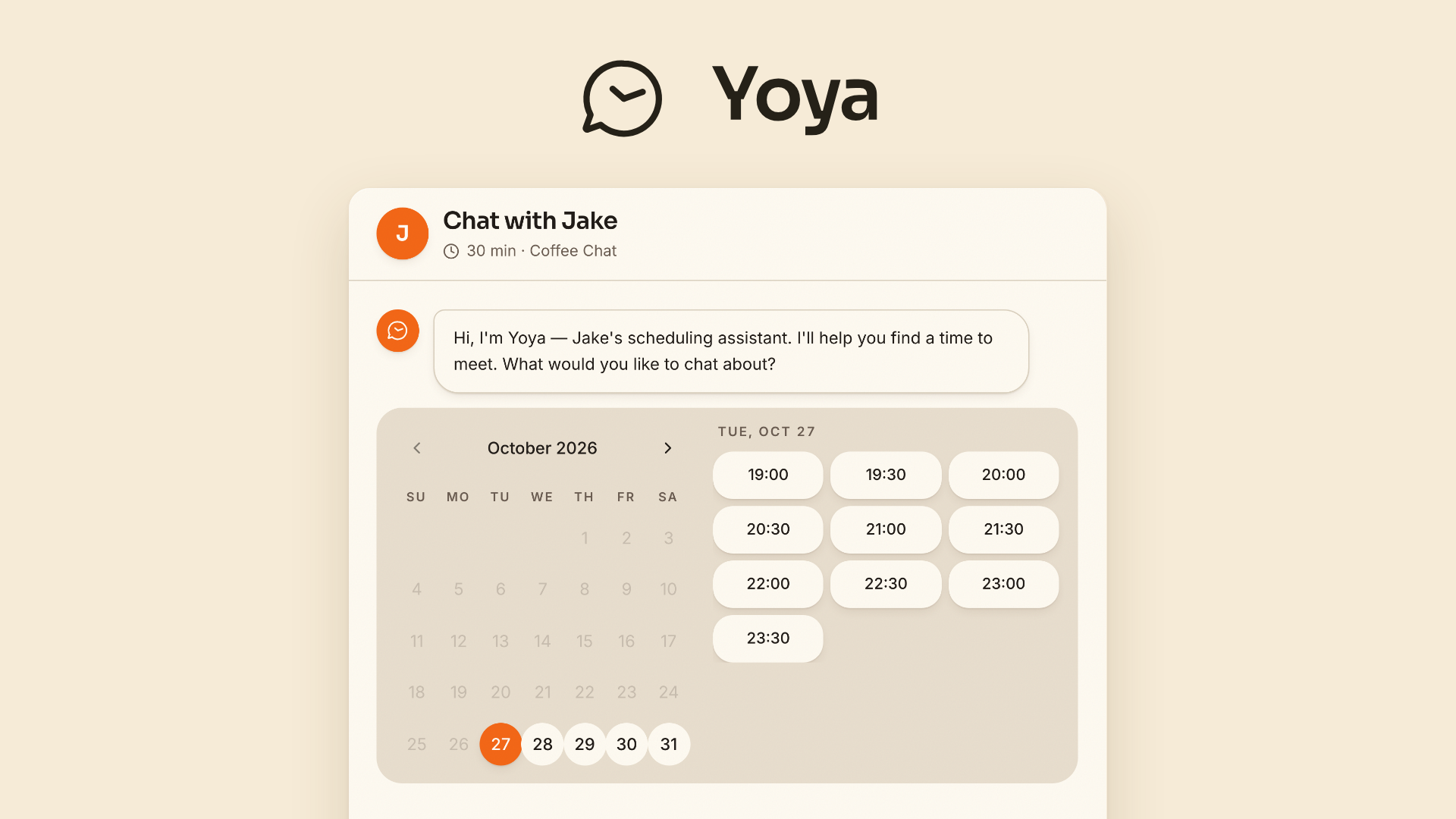
Yoya is an AI scheduling assistant built around a conversational booking page. Guests explain what they need, choose an available time, and confirm their details by text or voice. They do not need a Yoya account.
The booking conversation becomes a brief containing the guest’s purpose, background, and questions. You can read it before joining the call. Transcript history stores the booking conversation; Yoya does not record or transcribe the meeting itself.
It also handles Google Calendar conflict checking, time zones, meeting links, reminders, and booking changes. This is the kind of workflow covered by our lifetime deal versus subscription guide, where replacement value matters more than the discount.
One-time prices: Tier 1 costs $39, Tier 2 costs $119, and Tier 3 costs $239.
Purchase type: Lifetime access with all future plan updates.
Listed alternatives: Acuity Scheduling, Calendly, and Doodle.
Refund window: 60 days through AppSumo.
Activation deadline: Activate your license within 60 days of purchase.
Tier structure: Three directly selected license tiers, with the ability to upgrade or downgrade between them.
Codes and stacking: No codes and no stacking.
Listed integrations: Google Calendar, Google Gemini, Google Meet, Zoom, and Claude.
Company: Founded January 1, 2025, in Finland. Listed as a bootstrapped startup with 1–10 people.
Tier 1 pays for itself once it replaces $39 in subscription charges you would otherwise keep paying. The corresponding totals are $119 for Tier 2 and $239 for Tier 3.
A replacement that recovers its cost in under six months is an excellent financial fit. Six to twelve months makes sense for weekly use. Longer payback requires Yoya to be central to your work and puts more weight on vendor continuity. Count savings only when you can actually cancel the existing bill.
Guests describe their request in a text conversation or use voice booking within your tier’s allowance. Yoya combines that intake with choosing a time and confirming details. This matters when a conventional booking form leaves you needing another email before the call.
Each booking produces a guest brief. Tiers 2 and 3 can add a LinkedIn background summary when the guest shares their profile. These summaries give consultants and sales hosts material to prepare from before the conversation begins.
Google Calendar conflict checking helps prevent overlapping bookings. Separate meeting types can have different hours and durations, while available times appear in the guest’s time zone. Discovery calls and coaching introductions do not have to share identical scheduling rules.
Yoya creates Google Meet or Zoom links using connected accounts and supports in-person meetings. Calendar invites, email reminders, and reschedule or cancel links handle routine follow-up. Tiers 2 and 3 support both video options on one booking link and Google Meet joins without manual admission.
MCP-compatible assistants can check a public booking page, inspect availability, and book a meeting. Hosts can use an authenticated connection to manage meeting types, availability, and bookings. The selected tier’s booking limits still apply.
Includes conversational text booking, voice booking, time zone detection, Google Calendar conflict checking, multiple meeting types, meeting briefs, reminders, reschedule or cancel links, and AI assistant booking.
Adds LinkedIn profile summaries, Google Meet and Zoom on the same booking link, Meet joins without admission, and Yoya branding removal. AppSumo marks this tier as recommended.
Includes the same higher-tier features as Tier 2.
The limits increase unevenly. Tier 2 doubles booking links, raises bookings fivefold, and triples voice minutes compared with Tier 1. Tier 3 removes booking and link caps, while voice remains limited.
Monthly allowances reset each month. Text chat does not consume voice minutes. This deal uses direct tier selection; AppSumo code stacking does not apply.
Tier 1 keeps Yoya branding and limits transcript history to 30 days. If you need older booking conversations or an unbranded client experience, the relevant starting price is $119.
Voice usage stays capped even on Tier 3. Unlimited bookings do not mean unlimited spoken intake, so voice-heavy workflows need closer attention.
Yoya is listed as a small, bootstrapped startup founded in 2025. That deserves consideration before moving an essential workflow. Our guide to the pros and cons of lifetime deals explains why upfront savings and long-term continuity are separate decisions.
Use these tool-specific checks alongside our lifetime deal verification guide.
Yoya looks worth considering when client intake is part of the scheduling job. Tier 1 is a reasonable entry point for modest booking volume. Tier 2 is the stronger choice when branding removal, LinkedIn summaries, and retained booking history matter. Tier 3 makes sense when booking or link limits would otherwise bind.
The purchase should earn its place by replacing a bill and improving preparation. The listed company profile calls for a careful transition rather than assuming three years of service from the lifetime label alone.
Activate immediately after purchase, ahead of the 60-day activation deadline. Make your keep-or-refund decision by day fifty, leaving time within the 60-day refund window described in our AppSumo refund policy guide.
SAASTOOLY Rating: 4.5/5
Not sure yet?
Run this deal through our free scorecard. Seven checks, a payback calculator, and a plain verdict on whether to buy.
Get the Lifetime Deal Scorecard, free
No. Guests can book through your public Yoya page by text or voice without creating a Yoya account.
No. Meeting briefs summarize information shared during booking, and transcript history refers to that booking conversation.
Google Calendar provides conflict checking. Meetings can use Google Meet, a connected Zoom account, or an in-person location.
Only Tier 3 includes unlimited bookings. Voice allowances are 60, 180, or 400 minutes per month, depending on the tier, and text chat does not consume them.
There are no codes or stacking. You choose a license tier directly, and the terms allow upgrades or downgrades between the three tiers.
Product support is available at leo@yoya.ai. Eligible refunds are requested through AppSumo within the 60-day money-back guarantee.

