This page contains an affiliate link. We may earn a commission at no extra cost to you if you buy through it. AppSumo deal terms change without notice, so treat the current AppSumo listing as the final word on pricing and limits.
The bill this replaces
A decent to-do app with reminders, notes, and calendar sync usually runs somewhere between eight and fifteen dollars a month once you add a paid tier. Over a year that is close to a hundred and fifty dollars, and it keeps renewing whether you use it or not. Hello Aria is being sold on AppSumo as a one-time purchase starting at twenty nine dollars, which is a different kind of commitment than a subscription you have to remember to cancel.
What it is
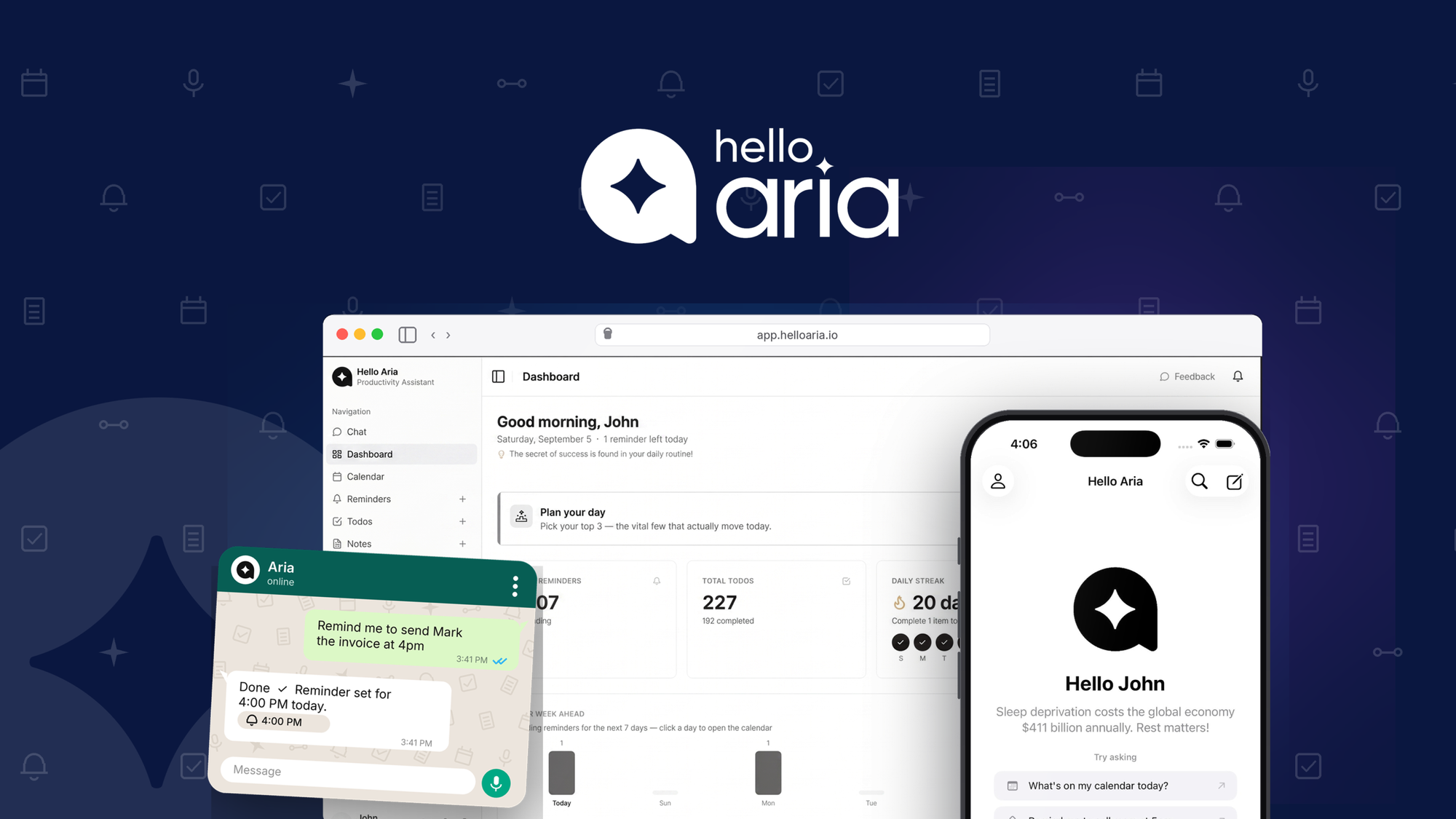
Hello Aria is a chat-based task manager. Instead of opening an app and typing into a form, you send a message on WhatsApp, Slack, Telegram, or the web, and it turns that message into a task, reminder, note, or calendar event. You can also send a voice note or a photo in more than one language and it will pull out the action items on its own.
The pitch from the founders is that most task managers make you do the organizing, while AI chatbots will talk about your to-do list without ever touching it. Aria sits in between. It reads what you send, files it into the right bucket, and keeps a dashboard where you can see reminders, notes, and meeting minutes in one place. It also generates meeting minutes from voice notes, and it can place an actual phone call for reminders you genuinely cannot miss, rather than a notification you swipe away.
The company is a small bootstrapped team based in Hyderabad, India, founded in August 2024. That is worth sitting with for a second, since a five-year-old lifetime deal is a very different bet than a one-year-old one, a point we go into in our piece on what a SaaS lifetime deal actually means for how long a vendor is likely to stick around.
Key facts
Price: Tier 1 at twenty nine dollars, Tier 2 at ninety nine dollars, Tier 3 at one hundred ninety nine dollars, all one-time for lifetime access
Replaces: Separate apps for tasks, reminders, notes, and meeting minutes
Refund window: Sixty days, covered by AppSumo's standard guarantee
Access: WhatsApp, Slack, Telegram, iOS, and a web dashboard
Timing: Early access window is running now, with a countdown on the listing
Integrations live today: Gmail, Google Calendar, Google Meet, Telegram, WhatsApp
Integrations mentioned as coming: Microsoft Outlook Calendar, Mail, and OneDrive; bring-your-own-API-key support
What the payback looks like
If you are currently paying ten dollars a month for a task manager, the twenty nine dollar entry tier pays for itself in under three months. Even the ninety nine dollar middle tier clears that same subscription cost in about ten months, which is still inside the range we would call reasonable as long as you are actually using it every week rather than letting it sit. The top tier at one hundred ninety nine dollars needs closer to twenty months to catch up to a ten dollar a month bill, so that one only makes sense if the unlimited voice and image processing is something you would otherwise pay for separately.
What you actually get
Capturing input without typing it in. You can text, talk, or snap a photo, and it turns into a task or reminder. For anyone who currently stops what they're doing to open an app and fill in fields, this removes a step that adds up over a full day.
One dashboard instead of four apps. Reminders, to-dos, notes, and meeting minutes land in a single place. A scheduled briefing shows what got done, what's pending, and what's coming, which is the kind of check-in most people currently do manually by scrolling three different apps.
Meeting notes without taking notes. It generates minutes from a voice recording, so a meeting can be captured and summarized without someone assigned to type it up afterward.
Works where you already talk to people. WhatsApp, Slack, and Telegram support means you are not asking a team to adopt a new interface. Circles let you group people to assign tasks and share summaries, which matters if this is going to be used by more than one person.
Room to connect it to other tools. API access and webhook support are live now, and the founder mentions Aria already connects to Claude through MCP. If you build your own automations, that is a real hook rather than a promise.
Tiers and limits
AppSumo is running this as direct tier selection rather than stacking multiple codes. You pick the tier you want and pay once for lifetime access at that level.
Tier 1, twenty nine dollars: five voice notes a month, five image analyses a month, reminders received only from Circles, one-time (non-repeating) reminders.
Tier 2, ninety nine dollars: unlimited voice notes, unlimited image analysis, reminders can be sent and received through Circles, repeat reminders instead of one-time only.
Tier 3, one hundred ninety nine dollars: same unlimited voice and image processing and repeat reminders as Tier 2, positioned as the top tier on the listing.
The jump from Tier 1 to Tier 2 is the one that matters most, since it removes the five-per-month caps on voice and image processing entirely, rather than just raising the number. All tiers list unlimited messages, thirty internet searches a month, unlimited meeting minutes minutes, and BYOK API access, according to the listing's shared feature line.
Things to weigh
The entry tier caps you at five voice notes and five image analyses a month, which is tight if capturing things by voice is the whole reason you want this tool. You would likely outgrow Tier 1 fast and need to decide upfront whether Tier 2 is the real starting point for you.
Some integrations, including Outlook Calendar, Mail, and OneDrive, along with BYOK, are described by the founder as landing shortly rather than confirmed as live. If your workflow depends on Microsoft tools specifically, that piece is not there yet.
This is a young, small, bootstrapped company. That is common across AppSumo listings and is not automatically a red flag, but it is a different risk profile than buying a lifetime deal from a company that has shipped for five or more years, which we cover in our rundown on the pros and cons of lifetime deals.
Before you buy
Check that AppSumo's payment options work for your country and card before assuming the purchase will go through smoothly.
Confirm the specific integrations you need, such as Gmail or Google Calendar, are listed as currently live rather than planned, since the listing separates the two.
If you are moving off an existing task manager, look at whether Hello Aria has any import path for your existing tasks and notes, since the listing does not describe one.
Read through the deal terms and conditions on the listing itself, and know that AppSumo's standard refund policy gives you a window to test it properly, something we walk through in our guide to the AppSumo refund policy.
Who it suits, and who should look elsewhere
This fits founders and entrepreneurs who already live in WhatsApp, Slack, or Telegram and want their scattered messages turned into something organized without adopting a new app. It also fits small teams who want shared reminders and meeting minutes handled automatically instead of assigned to one person to type up.
It is a weaker fit for anyone deep in the Microsoft ecosystem right now, since Outlook and OneDrive integration is not confirmed live yet. It is also not the right pick for someone who wants a mature, long-established task manager with a large integration library and years of track record, since a subscription tool with that history carries less platform risk than a year-old company, a trade-off we lay out in lifetime deal versus subscription.
Verdict
Hello Aria solves a specific, common annoyance: reminders in one app, notes in another, and meetings you walk out of and forget. The entry tier is priced low enough that the payback math works in under three months against almost any paid task manager, and the sixty day refund window gives you real room to test whether you actually use it. The catch is the young company and the handful of integrations still landing, so this is a bet on a small team executing over the next couple of years, not a settled, mature product.
If you decide to buy, redeem the code right away since AppSumo codes expire. Give yourself until day fifty to actually use it daily before the sixty day refund window closes, so you are deciding with real usage behind you rather than a first impression.
Not sure yet?
Run this deal through our free scorecard. Seven checks, a payback calculator, and a plain verdict on whether to buy.
Get the Lifetime Deal Scorecard, free
FAQ
Is this a subscription or a one-time payment?
It is listed as a one-time purchase for lifetime access at whichever tier you select, not a recurring subscription.
Can I use it without WhatsApp or Slack?
Yes. Besides WhatsApp, Slack, and Telegram, Aria is also available through an iOS app and a web dashboard.
What happens if I outgrow the entry tier?
Tier 1 caps voice notes and image analysis at five a month each. Tier 2 removes both caps and adds repeat reminders and two-way Circle reminders.
Does it work in languages other than English?
The listing states you can send a voice note or image in multiple languages and Aria will extract the tasks and reminders.
Is there a refund if it doesn't work for me?
Yes, the purchase is covered by AppSumo's sixty day money-back guarantee, and it is worth reading how that AppSumo refund policy actually works before you buy.
Can Aria connect to tools outside the listed integrations?
API access and webhook support are live today, and the founder mentions a working connection to Claude through MCP, so custom automation is possible beyond the built-in integrations.