

7 Best Otter.ai Alternatives for Meeting Transcription (2026)
Otter's free plan runs out fast and paid plans bill per user. Seven alternatives compared on real limits, bots vs no bots, privacy, and which ones you pay for once.
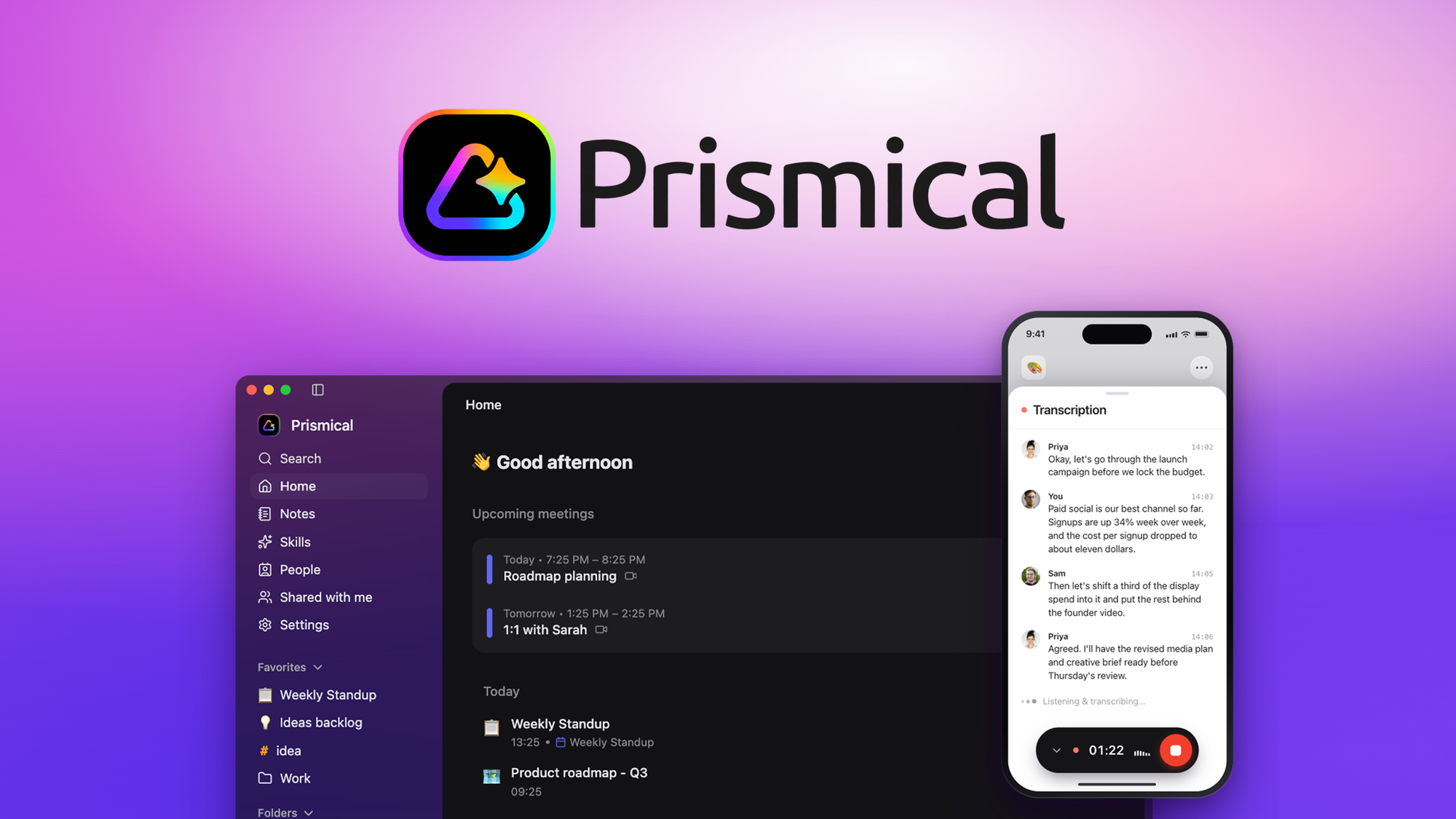
Prismical Lifetime Deal captures and transcribes any speech into structured notes with AI, allowing users to record meetings and lectures effortlessly.
A meeting transcription subscription is easy to justify for one month and annoying after a year. The AppSumo listing positions Prismical as an alternative to Otter.ai and shows retail comparison pricing from $120 to $3,600, depending on tier. If you record calls, lectures, voice notes, or client conversations regularly, that recurring bill can become another fixed cost in your business.
Prismical is aimed at replacing that subscription with a one-time purchase. The entry tier is $59, with higher tiers available for larger teams, more cloud transcription, more AI credits, and higher-volume workflows.
Prismical is an AI note-taking and transcription tool for recorded speech. It records meeting audio, your microphone, lectures, and voice notes, then turns the transcript into structured notes.
Unlike bot-based meeting tools, the listing says Prismical captures audio without joining your call. That matters if you do not want an extra participant appearing in Zoom, Google Meet, Microsoft Teams, Slack, Cisco Webex, or similar platforms.
The tool can transcribe in real time using local Whisper or cloud models. It can also generate summaries, key decisions, action items, next steps, and notes that can be shared with a team. If you are comparing one-time software purchases against subscriptions, our guide to /blog/lifetime-deal-vs-subscription/ is a useful frame for this kind of decision.
One-time price: From $59
Retail comparison price shown: From $120
What it replaces: Otter.ai
Refund window: Refundable up to 60 days
Deal type: Lifetime access to Prismical
Tier structure: Four license tiers
Code stacking: No codes, no stacking. Choose the plan that fits.
Activation deadline: License must be activated within 60 days of purchase
Future updates: All future Premium Plan updates
Plan mapping: If the plan name changes, the deal will be mapped to the new plan name with all accompanying updates
Upgrades: Ability to upgrade between four license tiers while the deal is available
Downgrades: Ability to downgrade between four license tiers within 60 days of purchase
Company details listed: Founded February 1, 2026, Vancouver, Canada, 1 to 10 employees, bootstrapped
For Tier 1, the comparison is simple. The listing shows $59 against a retail comparison price of $120. If the subscription you are replacing costs around that annual amount, Prismical pays for itself in well under a year.
That is good for a tool you use weekly. It is excellent if meeting notes are part of your daily work. For the higher tiers, the decision depends on whether you will actually use the extra users, cloud transcription, and AI credits. The larger tiers make more sense when transcription is central to team operations, client work, or internal documentation.
For a broader view of this buying logic, see /blog/the-pros-and-cons-of-lifetime-deals/.
Prismical records meetings without joining the call as a bot. It can capture system audio alongside your microphone on Zoom, Google Meet, Microsoft Teams, Slack, Cisco Webex, and more.
That is useful if your current tool adds a visible assistant to every call, or if you work with clients who dislike bot participants. You still get the transcript and notes, but the recording approach is different from tools that need to appear in the meeting.
The listing says Prismical supports real-time transcription using local Whisper or cloud models. Desktop users can transcribe locally using open-source Whisper with no account required.
For people who regularly record sensitive discussions, local transcription is the feature that will stand out. The listing also says transcription can run entirely on your own hardware and that nothing is stored after transcription unless you choose otherwise. This is a product claim from the listing, not an independent security review.
Once a recording is complete, Prismical can turn it into summaries, key decisions, action items, and next steps. It can also extract action items with clear owners.
This is where a transcription tool becomes more useful than a raw transcript. If you currently pay for software mainly to avoid writing meeting recaps by hand, this is the part of the deal that replaces the most time.
The listing says you can accept, refine, or reject AI-generated changes before they land in your notes.
That matters because AI summaries can be useful while still needing human review. For client calls, leadership meetings, and project handoffs, being able to approve or adjust generated notes reduces the risk of sending out messy meeting records.
Prismical lists native Mac, Windows, iOS, and Android apps, plus a full web app. The deal also includes unlimited devices.
That makes the tool more flexible if you switch between desktop meetings, mobile voice notes, and browser-based work. If you are buying any AppSumo software for regular use, our /blog/factors-to-verify-before-buying-lifetime-deal/ checklist is worth reading before you commit.
Prismical supports MCP, which stands for Model Context Protocol. The listing says ChatGPT, Claude, and Gemini can access or take notes via MCP, so meeting context can be used in AI workflows.
It also includes notes sharing, calendar sync, automations, webhooks, API access, and MCP, depending on tier. For teams that already organize work through AI tools or automated workflows, this is more than a standalone transcription app.
The deal uses direct tier selection. There are no codes and no stacking, so the usual AppSumo strategy of buying a lower tier and stacking later does not apply. You choose the plan that fits your expected usage.
If you are new to how AppSumo terms work, /blog/appsumo-codes-stacking/ explains why this difference matters.
Price: $59
Retail comparison price: $120
Users: 1
Cloud transcription: 20
AI credits per month: 100
Auto meeting summaries: Standard models
Included features listed for the tier table include Ask AI, floating mode, BYOK, automations and webhooks, extended recording length, unlimited local transcription, notes sharing, unlimited devices, speaker identification, and API plus MCP.
Price: $149
Retail comparison price: $360
Users: 3
Cloud transcription: 60
AI credits per month: 300
Auto meeting summaries: Pro models
Price: $329
Retail comparison price: $1,200
Users: 10
Cloud transcription: 180
AI credits per month: 1,000
Auto meeting summaries: Pro models
Price: $749
Retail comparison price: $3,600
Users: 30
Cloud transcription: 600
AI credits per month: 3,000
Auto meeting summaries: Pro models
The limits that scale most clearly are users, cloud transcription, and AI credits. Auto meeting summaries also move from standard models on Tier 1 to pro models on Tiers 2, 3, and 4.
For most solo users, Tier 1 is the obvious starting point if the listed limits are enough. Small teams should look closely at the user count first, then cloud transcription and monthly AI credits.
Tier 1 uses standard models for auto meeting summaries. Pro models start at Tier 2, so buyers who care about the higher summary model level should not assume the entry tier includes it.
Cloud transcription and AI credits are monthly limits. The listing also highlights unlimited local transcription, so heavy users need to decide whether their workflow can rely on local transcription or whether they need a higher tier for cloud usage.
The company is listed as founded on February 1, 2026, with 1 to 10 employees and bootstrapped. That does not make the deal bad, but it does make the usual lifetime deal question more important. You are buying early, so the upside is price and the trade-off is company maturity. Our /blog/what-is-a-saas-lifetime-deal/ guide explains that risk profile in more detail.
Check whether the platforms you use are covered. The listing names Zoom, Google Meet, Microsoft Teams, Slack, Cisco Webex, and more. If your calls happen somewhere else, verify the recording workflow before relying on it.
Decide whether you need local transcription, cloud transcription, or both. Prismical highlights local Whisper transcription on desktop, while tiers also include cloud transcription limits.
Map your monthly usage against AI credits. A solo user with occasional calls may fit Tier 1. A team that summarizes meetings every day may need a higher tier.
Review whether you need MCP, API access, automations, or webhooks in your workflow. These can matter if Prismical is part of a broader AI or operations process rather than a standalone note-taking app.
If you are buying mainly because of the refund period, read /blog/appsumo-refund-policy/ before purchase so you understand how to use the 60-day window.
Solo founders, consultants, and executives who record meetings and want structured notes without paying another recurring transcription bill.
Remote teams that need meeting summaries, decisions, action items, and note sharing across multiple users.
People who prefer local transcription on desktop using Whisper and want the option to avoid relying only on cloud transcription.
Teams experimenting with AI workflows where MCP, API access, automations, or webhooks are part of the appeal.
You need the most mature vendor possible and prefer to pay an established subscription provider rather than buy from a newer bootstrapped company.
You need high cloud transcription volume but do not want to buy one of the higher tiers.
You want pro models for auto meeting summaries but only want to pay for the entry tier.
You do not record meetings, lectures, voice notes, or spoken ideas often enough to justify another tool in your workflow.
Prismical is a strong fit if you are paying for meeting transcription mainly to get clean notes, decisions, and action items from spoken conversations. The $59 entry point is low compared with the listed $120 retail comparison price, and the higher tiers give teams more users, more cloud transcription, and more monthly AI credits.
The strongest reason to consider it is the mix of local transcription, meeting recording without a bot, structured AI notes, and integrations with common meeting platforms. The main buying question is tier fit. Tier 1 is attractive for solo use, but teams and heavier users should pay close attention to users, cloud transcription, AI credits, and the move from standard models to pro models.
Redeem the license straight away, because activation is required within 60 days of purchase. Decide by day fifty whether Prismical fits your real workflow, while the 60-day refund window is still available.
Prismical is a tool for recording and transcribing meetings, lectures, voice notes, and other speech. It can turn transcripts into summaries, decisions, action items, and next steps.
Yes. The AppSumo listing states lifetime access to Prismical, with all future Premium Plan updates included.
The listed tiers are $59, $149, $329, and $749. The retail comparison prices shown are $120, $360, $1,200, and $3,600.
No. The listing says no codes and no stacking. You choose one of the four license tiers directly.
The listing names Prismical as an alternative to Otter.ai.
Yes. The listing says Prismical can transcribe locally on desktop using open-source Whisper with no account required. It also lists unlimited local transcription.
The listing names Cisco Webex, Google Meet, Microsoft Teams, Slack, and Zoom as integrations. It also says Prismical can capture system audio alongside your mic on platforms like Zoom, Meet, Teams, Slack, WebEx, and more.
The deal is refundable up to 60 days. The listing also says Plus members are covered by the We Got Your Back guarantee.