
Syncupp Lifetime Deal
Bring scattered team work into one place so projects stay on schedule with less chasing around
Disclosure: We may earn an affiliate commission at no extra cost to you. Deal terms can change, so the current AppSumo listing is authoritative.
A way to consolidate your team software bills
Separate subscriptions for project management, team chat and attendance can leave you paying for several tools while still chasing updates. Syncupp combines those jobs in one app. AppSumo lists its entry lifetime tier at $49 against a $360 retail comparison price.
The financial case depends on whether it can replace something you already pay for. For an agency or small business coordinating work through boards and WhatsApp, the overlap is worth examining. If your existing subscriptions remain necessary, Syncupp becomes another expense. Our guide to lifetime deals versus subscriptions explains that distinction.
What it is
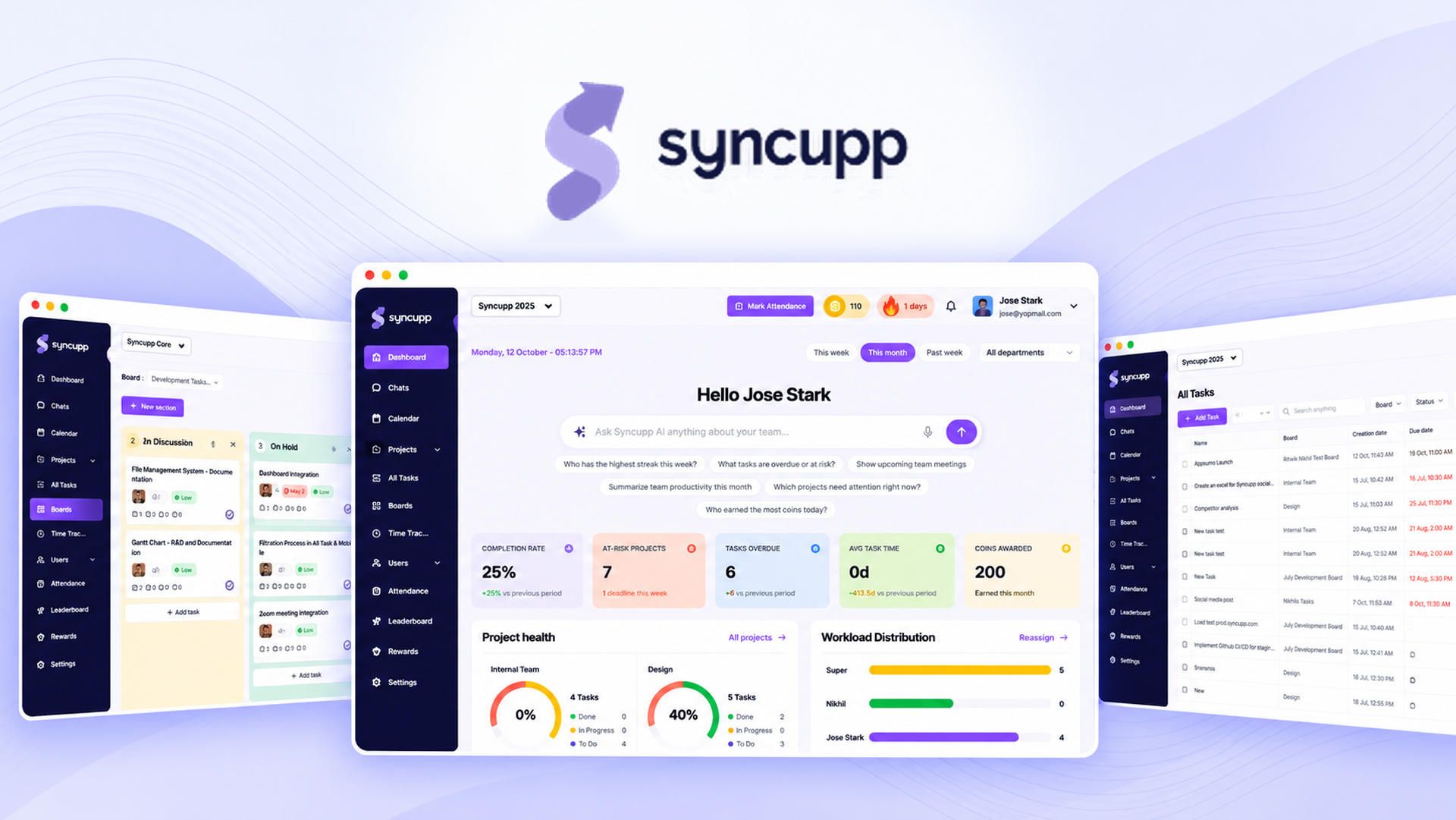
Syncupp is a team workspace for managing projects, discussing work, recording attendance and tracking time. Tasks can appear in kanban, list or calendar views, with subtasks, dependencies and custom fields providing more detail.
Its distinguishing features are WhatsApp-based coordination and gamification. Team members can receive task alerts and leave approvals through WhatsApp and act by replying. Coins, XP, streaks and leaderboards make completed work visible.
The company was founded in December 2023. The listing describes a bootstrapped startup in India with 1–10 people, founded by brothers Ritwik and Nikhil.
Key facts
- One-time price: $49 to $379, depending on tier.
- Access: Lifetime access.
- Listed alternatives: Asana, ClickUp and Trello.
- Refund window: Refundable up to 60 days.
- Plan structure: Four directly selectable tiers.
- Listed audiences: Marketing agencies, remote teams and small businesses.
The AppSumo refund policy guide provides useful context for planning your evaluation.
What the payback looks like
The entry plan costs $49 against the listing’s $360 retail comparison. That is a substantial upfront discount, but the comparison alone does not establish how many months of subscription spending it replaces.
The strongest case is a team that can cancel an existing bill after moving its work into Syncupp. If it only supplements your current tools, there is no avoided subscription cost to repay the purchase.
What you actually get
Organize work without constant status chasing
Kanban boards, list and calendar views cover different ways of planning work. Subtasks, dependencies, priorities and custom fields help make assignments specific. Recurring tasks can automatically assign daily, weekly or monthly work, reducing repetitive setup.
Keep conversations attached to the work
Channels, direct messages and task comments bring coordination into the same app as assignments. Google Meet meetings and Google Calendar sync support scheduling. This matters if discussions currently happen in a separate chat subscription and decisions are difficult to trace.
Reach people through existing workflows
WhatsApp supports task alerts, daily digests and leave approvals, including actions through replies. Slack reminders offer another route. Zapier, Make and Pabbly integrations connect other workflows, while Claude MCP support allows Syncupp data to enter an AI workflow.
Record attendance and billable work
One-tap GPS check-ins support field attendance. Daily attendance, late marks, half-days and leave balances share one view, with attendance export for payroll. Automatic timesheets and completed work can generate client-ready billing reports.
Make progress visible
Coins and XP reward logins, completed tasks and on-time delivery. Teams can configure redeemable rewards and filter leaderboards by department or period. The practical question is whether this encourages participation in your team, rather than becoming another system to administer.
Tiers and limits
All four plans list lifetime access.
| Plan | One-time price | Retail comparison | Users | Workspaces | Monthly AI credits |
|---|---|---|---|---|---|
| Tier 1 | $49 | $360 | 2 | 1 | 300 |
| Tier 2 | $99 | $1,080 | 6 | 1 | 1,000 |
| Tier 3 | $199 | $1,428 | 12 | 2 | 2,500 |
| Tier 4 | $379 | $2,856 | Unlimited | 4 | 5,000 |
The limits rise unevenly. Tier 2 triples the user allowance but retains one workspace. Tier 3 doubles users and workspaces relative to Tier 2. Tier 4 removes the user cap, while workspaces and monthly AI credits remain limited.
This listing uses direct tier selection. Choose the capacity you need rather than treating the purchase as “buy entry, stack later.” The guide to AppSumo codes and stacking explains why purchase structure matters.
Things to weigh
User capacity can determine the price immediately. Tier 1 accommodates only two users. A larger team needs a higher tier regardless of how lightly each person uses the app.
Unlimited users does not mean unlimited everything. Tier 4 still has four workspaces and 5,000 monthly AI credits. Separate client or department workspaces could become the binding limit.
Vendor continuity matters. This is a bootstrapped company founded in 2023 with a listed team size of 1–10. A lifetime purchase depends on continued operation and support. Keep that consideration separate from the feature list, as discussed in the pros and cons of lifetime deals.
Before you buy
- Check how your existing Asana, ClickUp or Trello projects would move across, including subtasks, dependencies, attachments and comments.
- Confirm that the WhatsApp actions and Slack reminders you need are available in your selected plan.
- Check the attendance export and billing report formats against your payroll and client invoicing requirements.
- Confirm how monthly AI credits apply to your intended workflows and how BYOK works for your selected tier.
These are practical checks before buying a lifetime deal, especially when replacing several working tools.
Who it suits, and who should look elsewhere
Good candidates
- Marketing agencies coordinating recurring assignments and client billing.
- Remote teams already relying on WhatsApp or Slack for updates.
- Small businesses wanting tasks, chat and attendance together.
- Field teams that need GPS check-ins and attendance exports.
Better served elsewhere
- Teams needing more than four workspaces should look for a subscription with sufficient workspace capacity.
- Businesses whose essential migration or integration requirements cannot be confirmed should keep their current subscription.
- Teams satisfied with their existing tools and unlikely to cancel a bill have a weaker financial reason to switch.
Verdict
Syncupp is a reasonable shortlist choice for agencies and small businesses trying to consolidate coordination, attendance and task management. WhatsApp actions and GPS attendance give it a clearer purpose than another standalone kanban board.
Buy for the workflow you need today. The discount is less important than team adoption, suitable limits and whether an existing subscription actually disappears.
Activate access promptly after purchase. Set day 50 as your decision date so you can assess the fit while the stated 60-day refund window remains open.
SAASTOOLY Rating: 4.5/5
Not sure yet?
Run this deal through our free scorecard. Seven checks, a payback calculator, and a plain verdict on whether to buy.
Get the Lifetime Deal Scorecard, free
FAQ
Is Syncupp a lifetime purchase?
Yes. All four listed tiers provide lifetime access, with one-time prices from $49 to $379.
Which plan has unlimited users?
Tier 4 costs $379 and includes unlimited users. It also includes four workspaces and 5,000 monthly AI credits.
Can team members act on WhatsApp notifications?
The listing says users can receive task alerts, daily digests and leave approvals through WhatsApp and act on them by replying.
Does Syncupp track attendance and time?
Yes. It includes GPS check-ins, attendance records, leave management and attendance export. It also tracks time per task and provides automatic timesheets and billing reports.
Which integrations are listed?
The page lists WhatsApp, Slack, Zapier, Make, Pabbly and Claude MCP support. It also describes Google Meet meetings and Google Calendar sync.
How long is the refund window?
The listing states that the purchase is refundable up to 60 days. It also states that Plus members receive coverage under AppSumo’s We Got Your Back guarantee.
Similar products in category
Upbase Lifetime Deal
Upbase Lifetime Deal is a comprehensive project management platform designed particularly for individuals and small teams.
WorkZappy Lifetime Deal
WorkZappy Lifetime Deal is a project management platform powered by AI, designed to assist your team in planning, tracking, collaborating, and ensuring timely delivery of work.
Agency Handy Lifetime Deal
Agency Handy Lifetime Deal enables effortless management of clients, projects, invoices, and payments all within a single user-friendly platform.